

Description
Build more with Gutenberg. Genial Blocks adds 14 customizable WordPress blocks and six ready-to-use patterns for responsive layouts, pricing tables, FAQs, carousels, testimonials, calls to action, and more—without requiring another page builder.
Explore the Genial Blocks Live Showcase
See live, interactive examples of the blocks and explore what you can build with Genial Blocks.
Explore the Genial Blocks Live Showcase
Why Choose Genial Blocks
Combine responsive layouts, flexible styling, and familiar Gutenberg controls with core blocks to build complete sections.
14 Gutenberg Blocks
Layout and Content
- Advanced Heading — Semantic H1–H6 headings with optional subtitles.
- Advanced Button — Styled links with responsive widths and design controls.
- Container — Responsive wrapper for nested blocks and layouts.
- Info Box — Content panels with an optional icon and CTA.
- Icon List — Text lists with bundled icons and optional links.
Interactive Content
- Accordion — Expandable questions and answers with single or multiple open items.
- Tabs — Labeled content panels with keyboard navigation.
- Carousel — Responsive slides with navigation, pagination, and optional autoplay.
- Countdown — UTC date countdown with a completion message.
Data and Social Proof
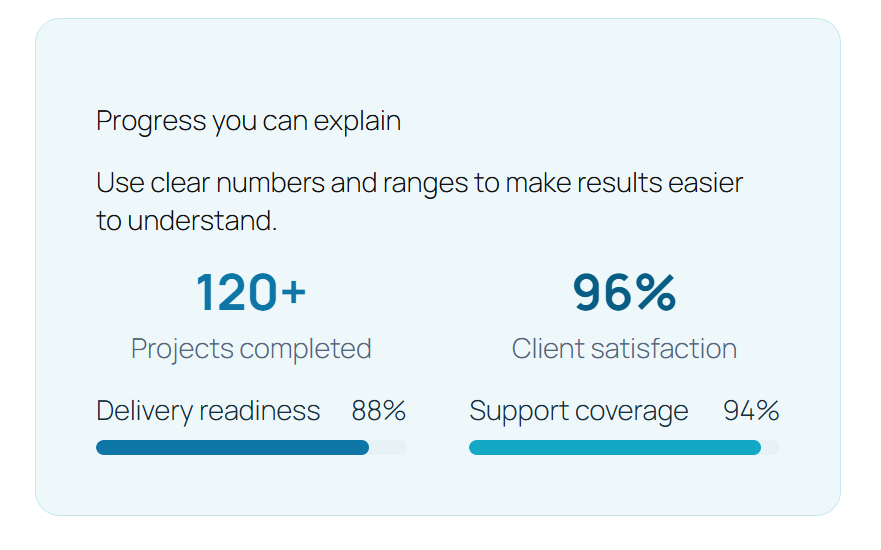
- Counter — Numeric values with optional count-up animation.
- Progress Bar — Labeled value across a configurable range.
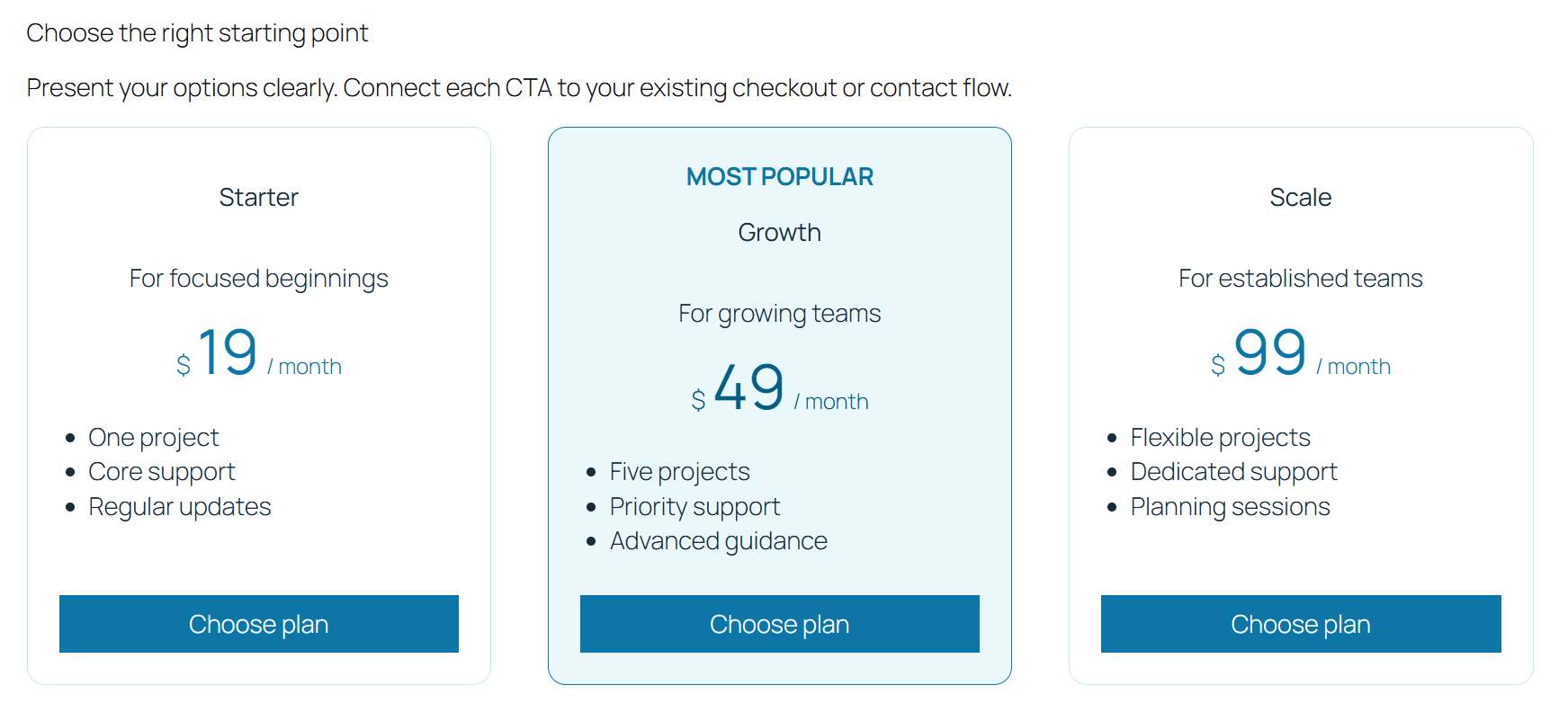
- Pricing Table — Informational plans, features, and optional CTA; no payment processing.
- Testimonial — Quote with author details and optional avatar or rating.
- Team Member — Profile with optional image and social links.
Six Ready-to-Use Patterns
Insert these from the block editor’s Patterns inserter under Genial Blocks, then customize their native blocks and content.
- Service Hero with CTA — Headline, supporting copy, information panel, and CTA.
- Three-Service Feature Grid — Three services presented as Info Box cards.
- FAQ Disclosure — A heading with expandable Accordion answers.
- Pricing Trio — Three editable informational pricing plans.
- Stats and Progress — Counters paired with progress indicators.
- Testimonial and Team CTA — A customer quote with a team profile and optional CTA.
Native Editor and Performance
Built for the WordPress block editor; no separate builder is required. The icon set is bundled locally, with no remote runtime asset service, jQuery, or Slick dependency. Interactive controls use semantic markup and keyboard-aware behavior where applicable. New-tab links receive safe relationship attributes, and Counter and Progress Bar animations respect reduced-motion preferences.
Source Code and Development
Genial Blocks is open-source software. Browse the source and build instructions in the Genial Blocks GitHub repository.
Source Code and Development
Genial Blocks is open source software.
The maintained source repository is available at:
https://github.com/GenialSouls/genial-blocks
Human-readable block source is in src/, compiled runtime assets are in build/, and the repository contains the build configuration and dependency lockfile used by contributors.
Screenshots


Blocks
This plugin provides 15 blocks.
- Tabs Related content arranged in selectable tabs, with editable labels and content panels.
- Info Box An information panel with an optional icon, description, and call-to-action link.
- Counter A numeric statistic that can count from a starting value to an ending value.
- Team Member A team profile with name, role, biography, optional image, and social links.
- Icon List A list of text items with selectable built-in icons and optional links.
- Advanced Heading A semantic heading with optional subtitle and typography and color controls.
- Progress Bar A labeled indicator showing progress between a configurable minimum and maximum.
- Carousel A responsive sequence of nested content slides with optional navigation, pagination, and autoplay.
- Testimonial A quotation with author details and an optional rating and avatar.
- Pricing Table A visual plan and price presentation with features and a call-to-action link; it does not process payments.
- Container A responsive layout container for grouping nested blocks and controlling direction, width, and spacing.
- Accordion Expandable question-and-answer items with single-open or multiple-open behavior.
- Countdown A countdown to a selected UTC date and time with an editable completion message.
- Advanced Button A styled link button with editable text, destination, colors, and layout options.
- Carousel Slide A nested content slide used by Carousel.
Installation
- In WordPress, go to Plugins > Add New Plugin.
- Search for “Genial Blocks”, or choose Upload Plugin to install a ZIP file.
- Activate Genial Blocks.
- Open the block inserter and choose a block from the Genial Blocks category.
FAQ
-
Does Genial Blocks require another page builder?
-
No. Genial Blocks is built for the native WordPress block editor.
-
Which blocks are included?
-
Genial Blocks includes Advanced Heading, Advanced Button, Info Box, Accordion, Counter, Icon List, Tabs, Pricing Table, Progress Bar, Container, Testimonial, Team Member, Countdown, and Carousel. Carousel Slide is an internal child block and is not a separate public capability.
-
Does the Pricing Table process payments?
-
No. Pricing Table presents plan and pricing information with an optional CTA link. It does not process payments.
-
Does Genial Blocks require remote runtime assets?
-
No. The plugin bundles its curated icon set and does not require an external runtime asset service.
-
Does Genial Blocks support responsive layouts?
-
Yes. Container provides responsive width, direction, alignment, justification, and gap controls. Advanced Button, Info Box, Pricing Table, and Carousel also provide focused responsive controls.
-
What are the minimum requirements?
-
Genial Blocks requires WordPress 6.8 or newer and PHP 7.4 or newer.
Reviews
There are no reviews for this plugin.
Contributors & Developers
“Genial Blocks” is open source software. The following people have contributed to this plugin.
Contributors
Translate “Genial Blocks” into your language.
Interested in development?
Browse the code, check out the SVN repository, or subscribe to the development log by RSS.
Changelog
0.5.0
- Added six native Gutenberg patterns for common page sections.
- Improved block discovery with clearer inserter descriptions, keywords, and category metadata.
- Added a Plugins-screen Getting Started link and contextual Inspector help.
- Added responsive typography controls for Advanced Heading and responsive alignment, spacing, and width controls for Advanced Button.
- Improved Tabs mobile scrolling, keyboard navigation, focus visibility, and RTL behavior.
- Refined accessibility with named Progress Bars, larger Carousel pagination targets, improved default Countdown contrast, and omission of empty Info Box headings.
- Fixed narrow-screen overflow for full-width Advanced Buttons with padding.
0.4.1
- Fixed Counter block validation warnings when changing the target value in the WordPress block editor.
0.4.0
- Added the responsive Basic Carousel with navigation, pagination, autoplay controls, keyboard and touch-friendly behavior, RTL support, and reduced-motion handling.
0.3.0
- Added Testimonial, Team Member, and Countdown blocks.
- Fixed Advanced Heading theme compatibility so configured typography and colors apply to the semantic heading element.
- Fixed responsive Container direction handling.
- Improved frontend compatibility, validation, and accessible presentation for native block content.
0.2.0
- Expanded Genial Blocks from two to ten native blocks with eight new blocks: Info Box, Accordion, Counter, Icon List, Tabs, Pricing Table, Progress Bar, and Container.
- Added a unified Genial Blocks inserter category with distinct block icons.
- Improved responsive layout behavior, including readable Container content on narrow mobile screens.
0.1.0
- Initial foundation with Advanced Heading and Advanced Button blocks.