

Description
Run your salon’s bookings, schedules, and customer relationships from WordPress.
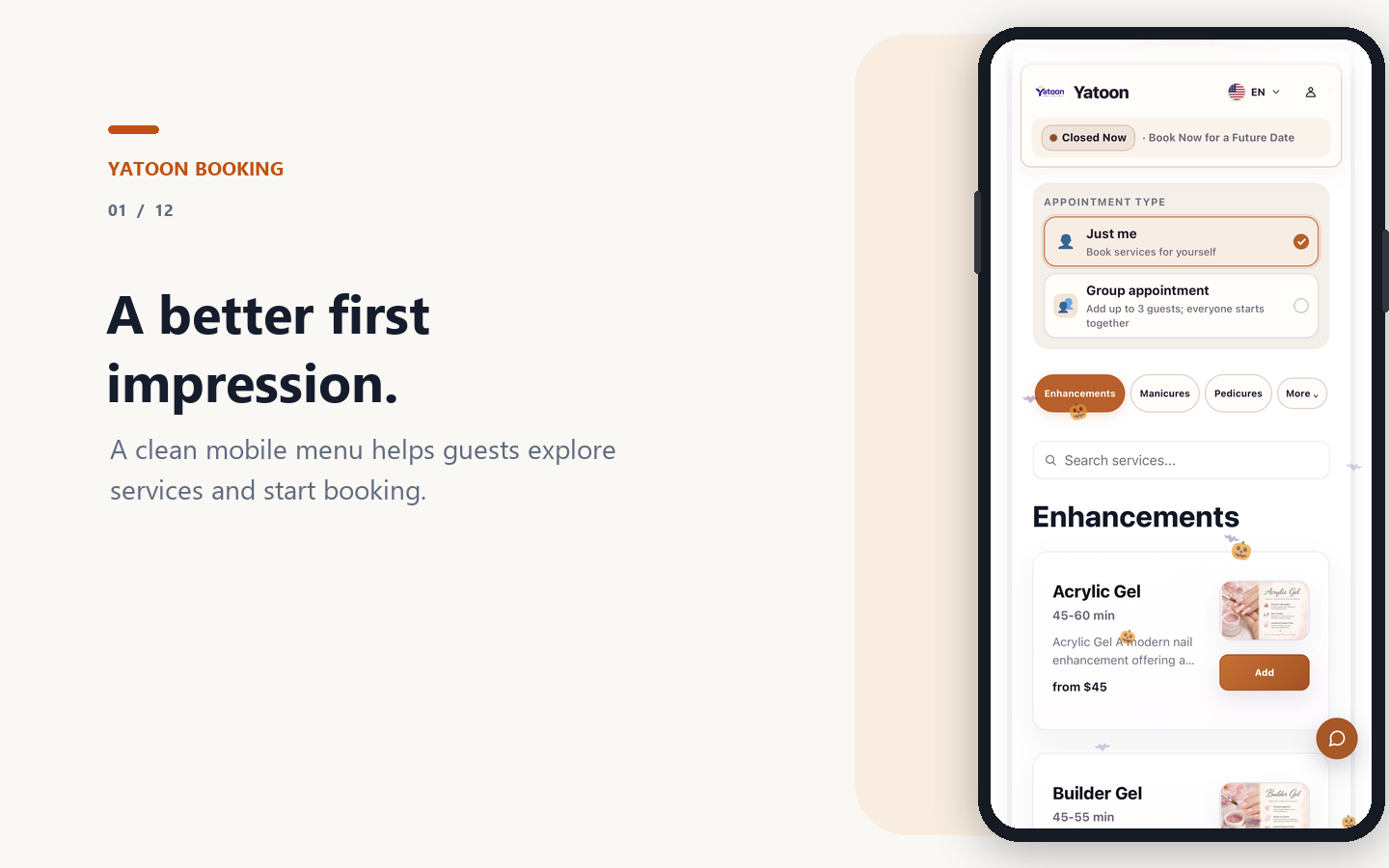
Yatoon gives salons a polished booking experience for clients and a practical local booking toolkit for the team. Clients choose services, add-ons, professionals, dates, and times on mobile; staff manage the day from WordPress.
Try the live booking demo – no account or installation required.
Watch the complete mobile booking demo:
Built for nail salons, hair salons, barbershops, spas, beauty studios, and other appointment-based businesses. Yatoon has also been used for daily bookings at a real nail salon for more than a year.
Local-first workflow: Free keeps scheduling, availability, customer records, and bookings inside WordPress. External payment, calendar, messaging, and platform connections are Pro features.
Free and Pro at a glance
- Free: up to two active team members, local bookings and customer records, staff and customer portals, CSV migration, and optional AI Chat after an administrator connects a provider and enables it.
- Pro: unlimited active team members, Square synchronization, Vagaro connection, online payments and deposits, SMS and calendar integrations, and advanced growth tools. Provider accounts and terms may apply.
What Free includes
- Local WordPress scheduling, availability checks, customer records, notifications, and booking management for up to two active team members
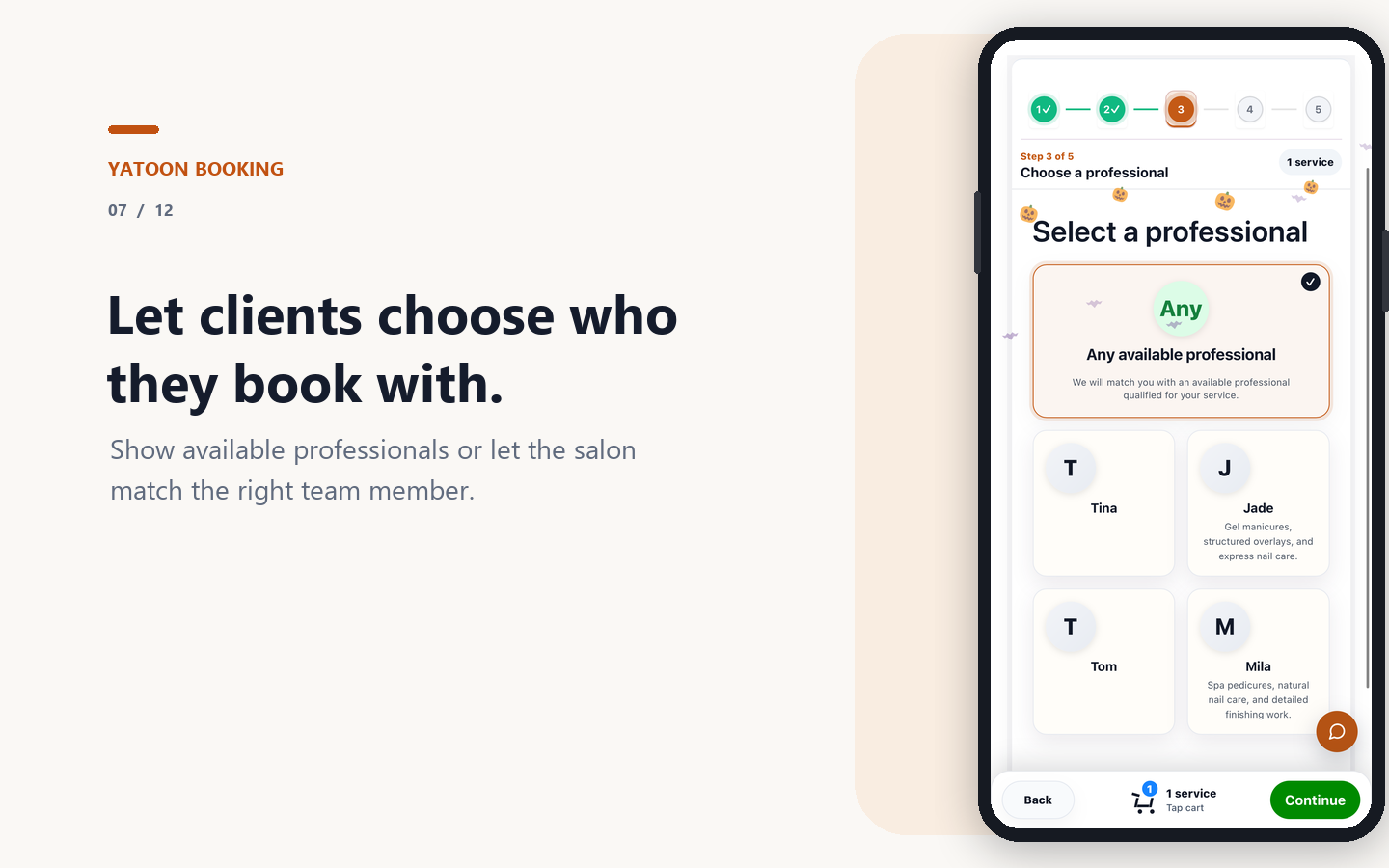
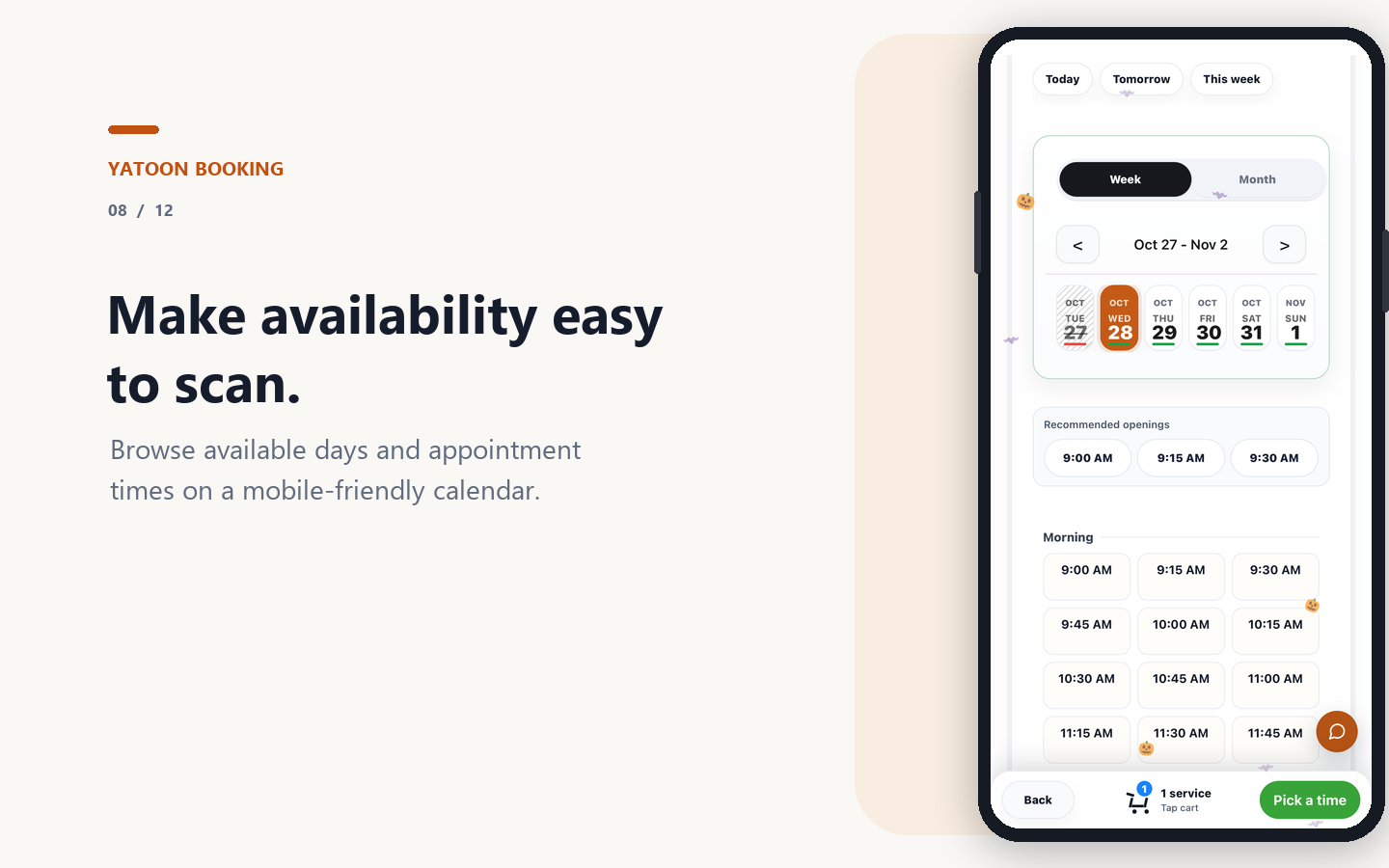
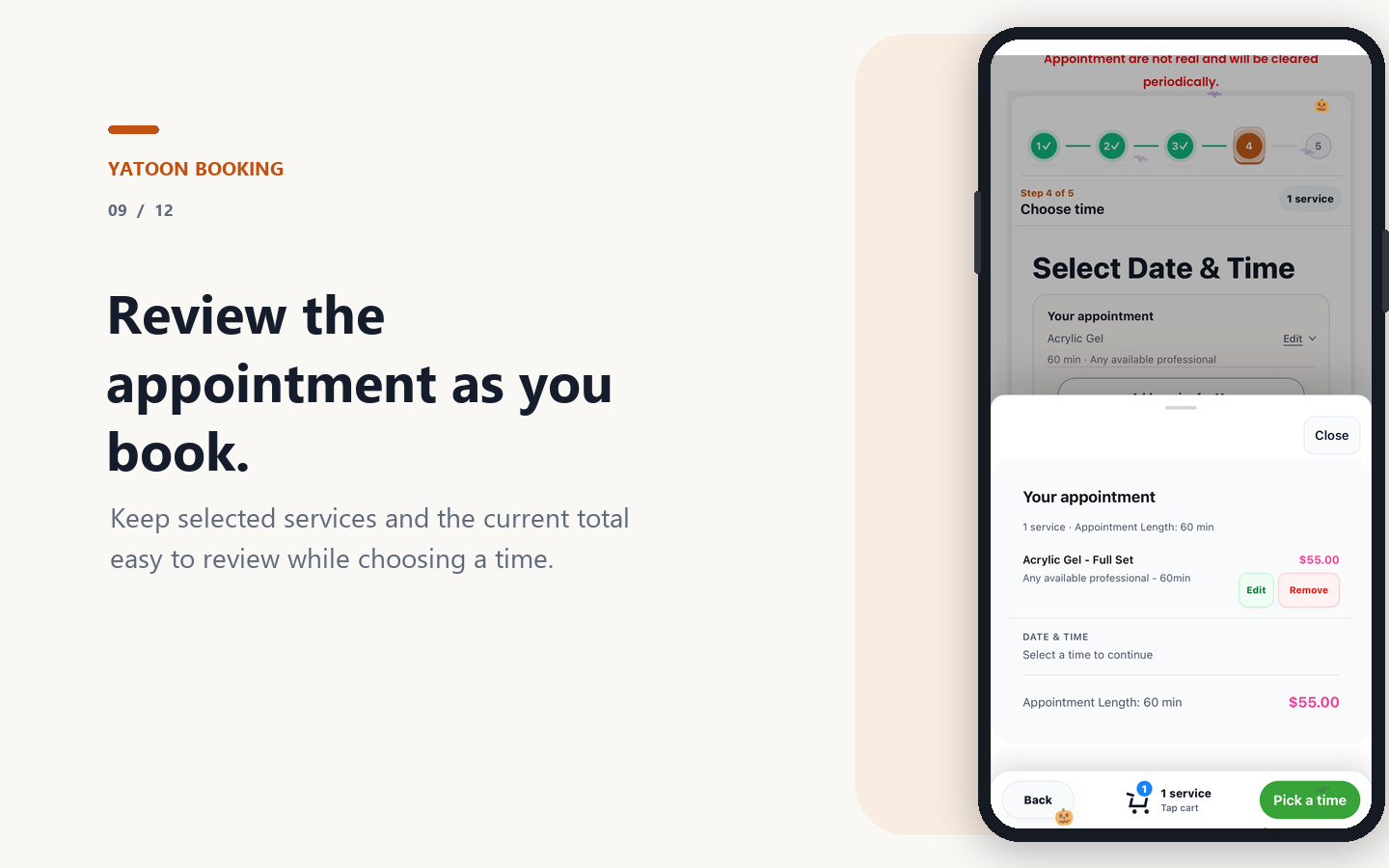
- Mobile booking for services, options, professionals, dates, times, customer details, and confirmation
- Customer self-service for reviewing, rescheduling, cancelling, and rebooking appointments
- Staff calendar workflows with mobile rescheduling, temporary breaks, shared-resource checks, and capability-based Yatoon roles
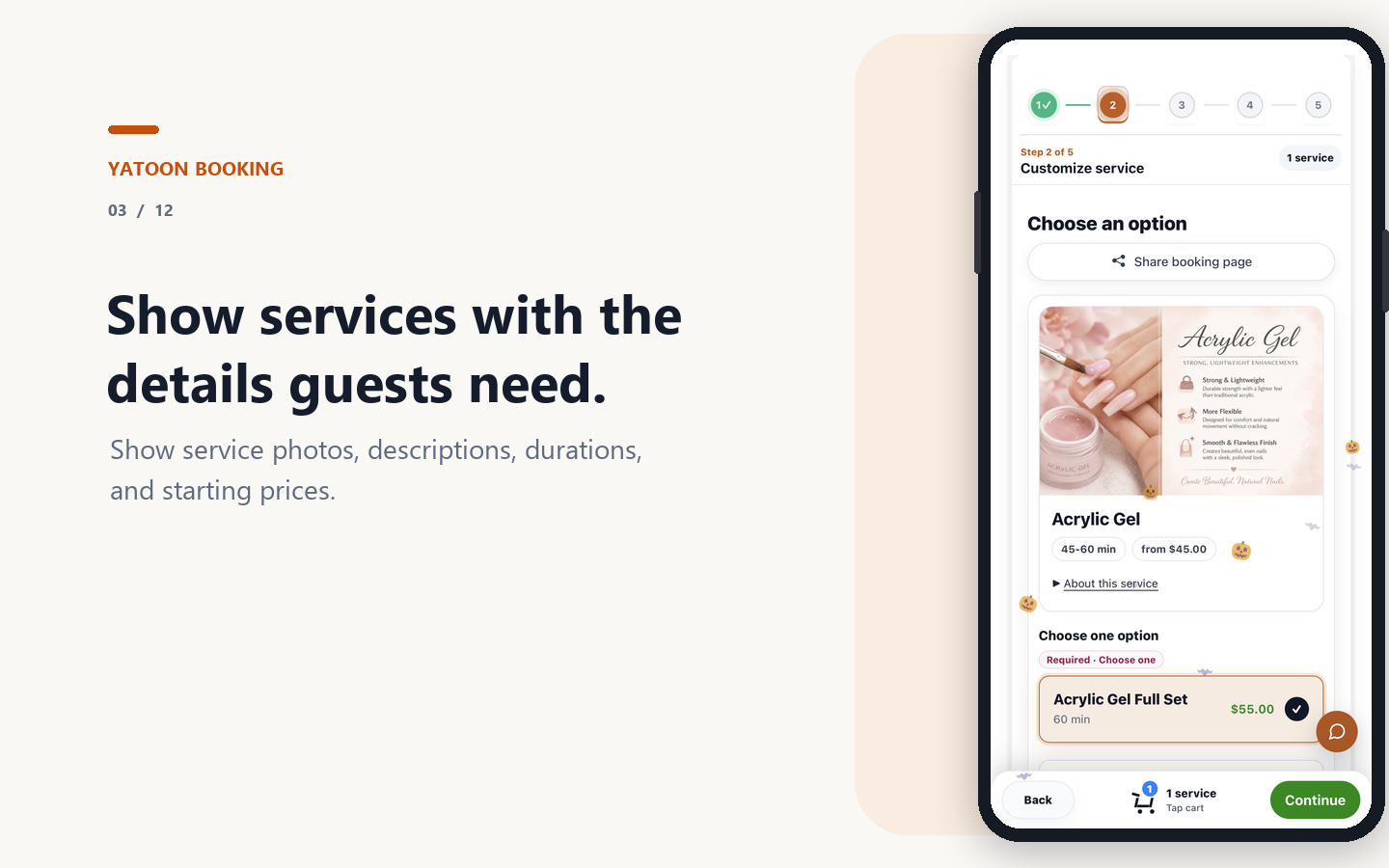
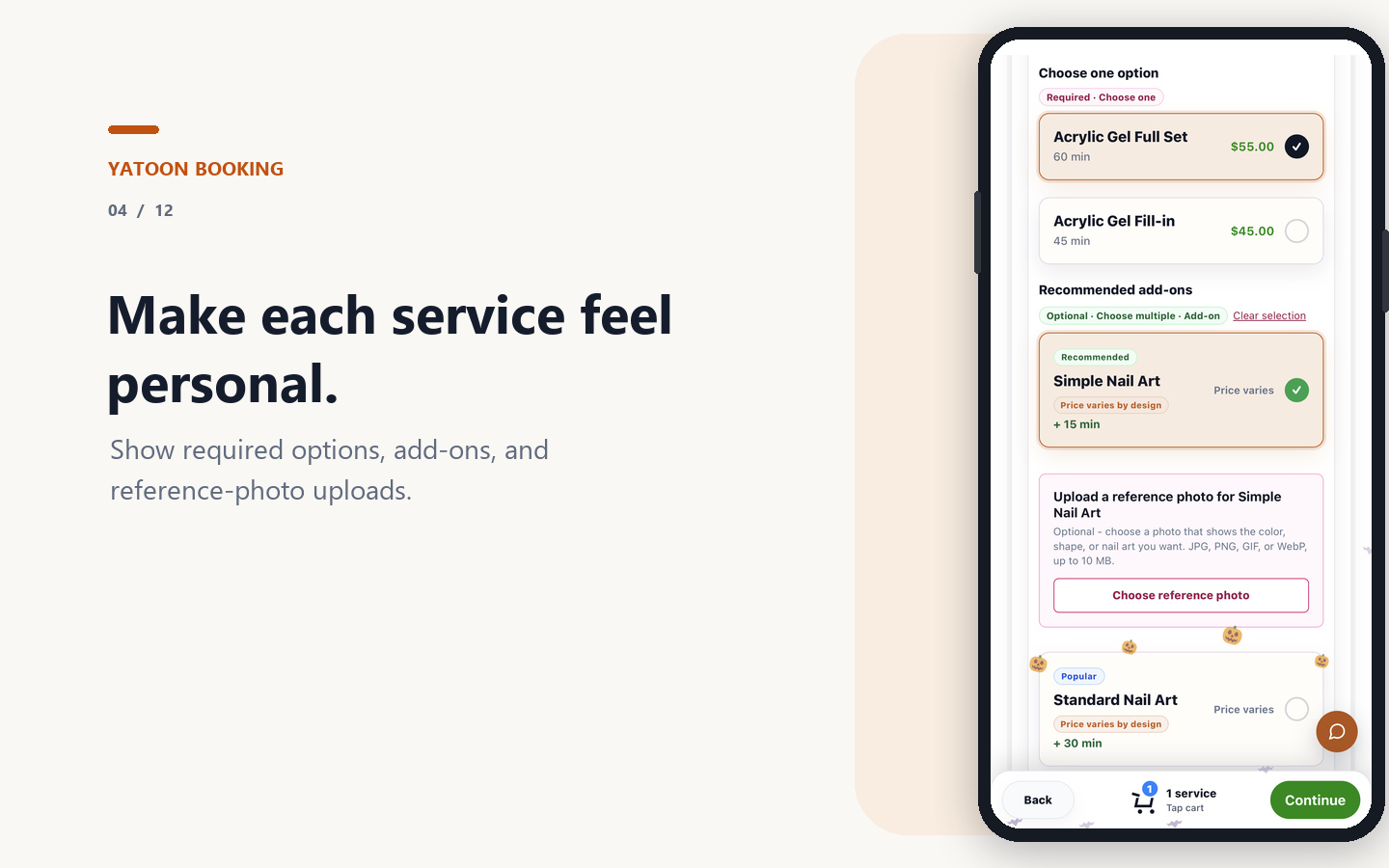
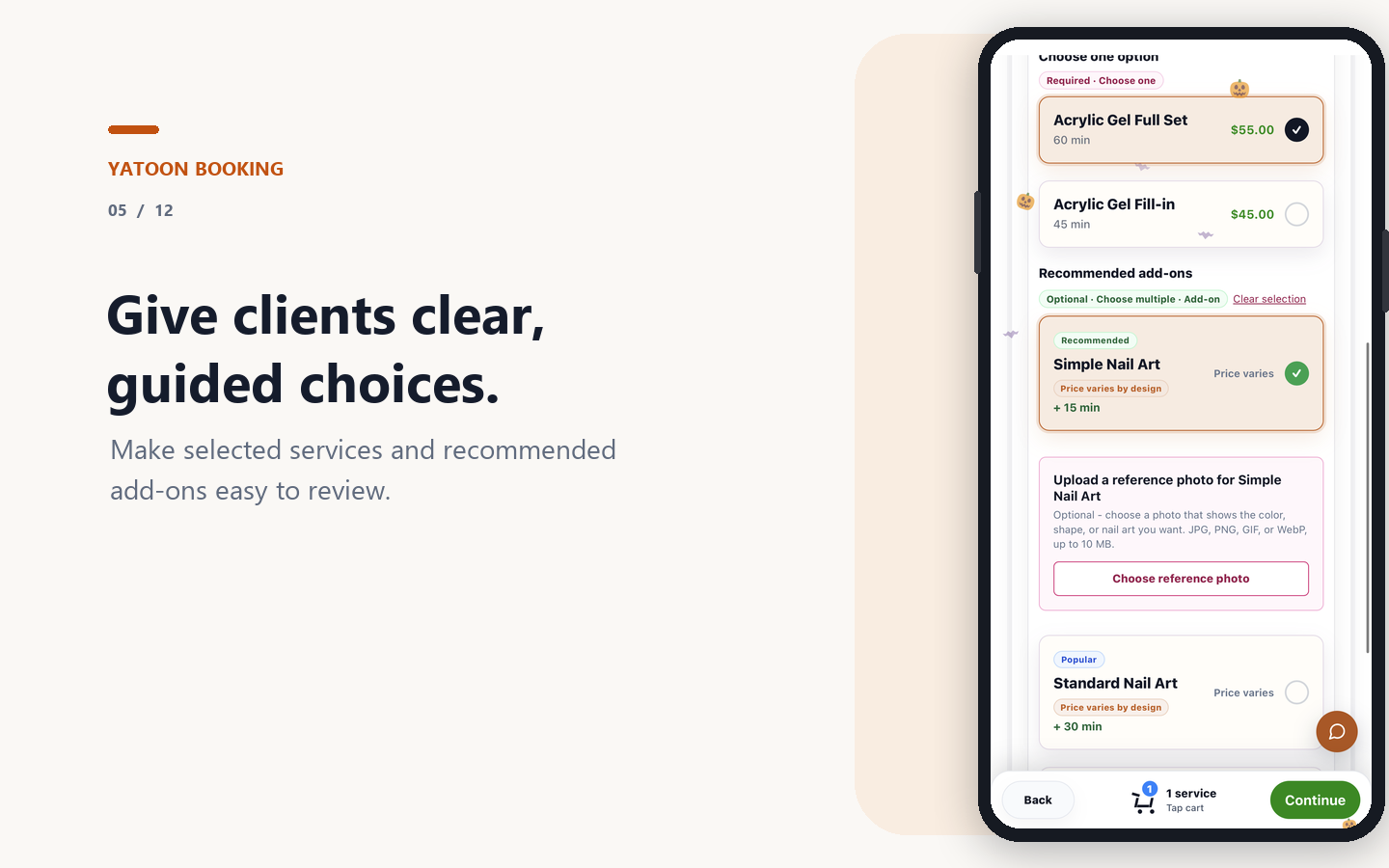
- Services, categories, images, variations, add-ons, pricing, staff qualifications, schedules, breaks, and closed dates
- Waitlist, service menu, customer portal, staff portal, booking blocks, Elementor, and shortcode integrations
- Customer-facing AI Chat when WordPress AI Client and a provider are connected and Chat is enabled by an administrator
Third-party integrations are optional and require their own accounts, credentials, supported regions, and provider terms. Local mode continues to work inside WordPress when an external provider is unavailable.
What customers experience
- A mobile booking flow for services, variations, add-ons, professionals, date, time, customer details, and confirmation
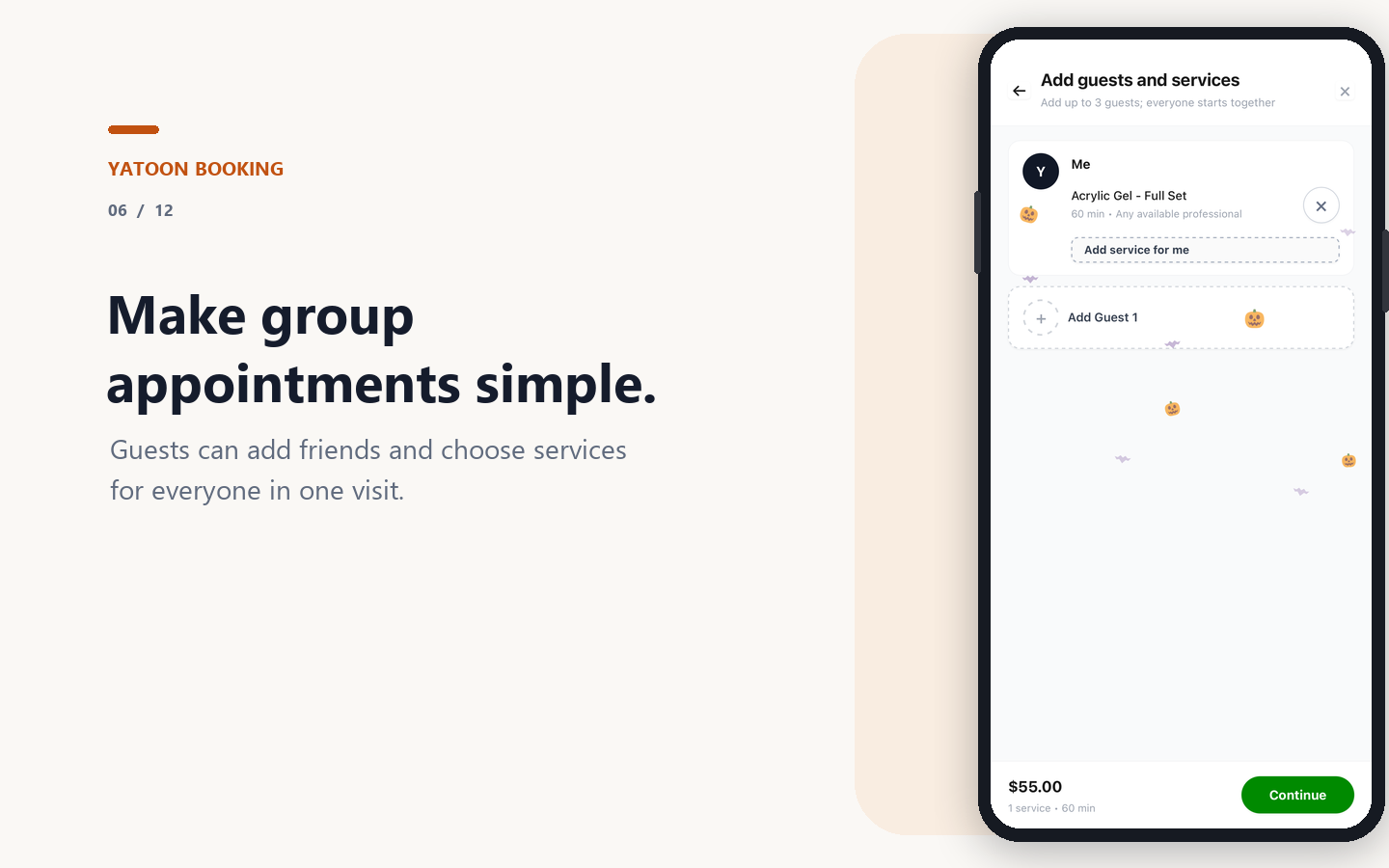
- Several services or guests in one booking journey, with separate staff choices and reference photos where enabled
- Clear service durations, prices, appointment summaries, directions, and calendar actions
- Secure self-service for viewing, rescheduling, cancelling, rebooking, and eligible service changes
- A branded service menu, discovery storefront, portfolio, favorites, quick rebooking, and lightweight installable customer app
What your team manages
- Services, categories, images, variations, add-ons, pricing, staff qualifications, and schedules
- Business hours, staff schedules, breaks, time off, closed dates, and availability rules
- Appointment calendar, client records, notes, reports, notifications, and waitlist
- Mobile-friendly rescheduling, temporary break controls, shared-resource checks, and role-specific staff workspaces
- Move in from Fresha, Square, Booksy or Vagaro using CSV exports: customers, appointment history, package visits and gift card balances import from CSV with a preview and one-click undo. Yatoon takes no commission on bookings.
- Trackable Book links for Google, Instagram, Facebook and TikTok, a link-in-bio page, QR codes, and a report of where bookings come from
Before a booking or sensitive change is saved, Yatoon rechecks staff qualification, schedules, breaks, closed dates, existing appointments, shared resources, and relevant external availability. If a time is taken during checkout, the customer keeps their details and gets a clear recovery path.
Add it to any WordPress page
Use the native block, Elementor widget, or one of these shortcodes:
[yatoon_booking]– complete booking form[yatoon_service_menu]– visual service menu with Book buttons[yatoon_customer_portal]– customer self-service portal[yatoon_staff_portal]– mobile staff schedule portal[yatoon_discovery]– discovery storefront and booking entry points[yatoon_link_in_bio]– mobile link-in-bio page with a Book button and popular services
External Services and Privacy
Google Maps – www.google.com/maps. The confirmation page displays a lazy-loaded map when a business address is configured. The preview sends the public business address and normal browser connection information to Google; it does not include customer names, email, appointment details, or manage tokens. Clicking the map opens Google Maps directions to that address. See Google Privacy and Google Terms.
Free Local mode performs booking and availability inside WordPress and does not require Square, Vagaro, Stripe, PayPal, Twilio, Google Calendar, Microsoft Outlook, or Meta WhatsApp.
Optional external services are described below. They are used only by their configured features; third-party sign-in additionally requires the user to choose the relevant sign-in button. Local booking does not require third-party sign-in.
Google sign-in – accounts.google.com, oauth2.googleapis.com, openidconnect.googleapis.com. Available in Free and Pro, disabled by default. After an administrator configures and enables it, a customer or eligible staff member can choose Google sign-in. The browser sends the configured OAuth client ID, callback URL, requested identity scopes, and random state/nonce to Google. The server exchanges the authorization code using the configured client credentials and requests the approved identity profile. Google returns an account identifier, verified email, and name/profile image URL when available; Yatoon uses this identity to link the local account. Appointment details are not sent for sign-in. See Google Privacy and Google Terms.
Sign in with Apple – appleid.apple.com. Available in Free and Pro for customers, disabled by default. After an administrator configures and enables it, a customer can choose Apple sign-in. The browser sends the Services ID, callback URL, requested name/email scopes, and random state/nonce. The server exchanges the authorization code with a signed client credential and fetches Apple’s public verification keys. Apple returns an account identifier and, when approved and available, name/email; the email can be an Apple private relay address. Yatoon links this identity to the local account. Appointment details are not sent for sign-in. See Apple Privacy and Apple Developer Terms.
Facebook sign-in – www.facebook.com, graph.facebook.com. Available in Free and Pro for customers, disabled by default. After an administrator configures and enables it, a customer can choose Facebook sign-in. The browser sends the configured App ID, callback URL, requested public-profile/email scopes, and random state. The server exchanges the authorization code using the configured app credentials, then requests the approved profile with the access token. Meta returns the account identifier, name, and email when available; Yatoon links this identity to the local account. Appointment details are not sent for sign-in. See Meta Privacy and Meta Platform Terms.
Fonts. Yatoon does not download fonts from any remote host, and does not bundle font files either. Choosing a font family under Brand & Colors only adds that family name to the CSS font stack; otherwise the system font is used.
Yatoon push relay (Cloudflare Worker) – https://yatoon-api.yatoon.workers.dev. Optional and disabled by default. When explicitly enabled, Yatoon sends a signed, pseudonymous browser push subscription endpoint and a generic event type to this Cloudflare Worker. Customer names, contact details, services, appointment times, and notes are never sent. See Yatoon and the Cloudflare Privacy Policy.
Freemius – https://api.freemius.com. Used for optional account connection, licensing, plugin updates, and upgrade screens. It is contacted only when an administrator opts in or uses one of those features. See Freemius Privacy Policy and Freemius Terms.
Provider integrations. Each service below is contacted only when an administrator has configured its credentials and switched the corresponding feature on, and only while performing the action that needs it. Provider credentials are stored encrypted in WordPress; Yatoon diagnostics must not include them.
Free package providers. Free can use the following optional services when the site owner enables them:
- Google Maps –
www.google.com/maps(confirmation-page directions map) - OpenAI –
api.openai.com(optional AI assistant). Privacy – Terms - Anthropic –
api.anthropic.com(optional AI assistant). Privacy – Terms - Google Gemini –
generativelanguage.googleapis.com(optional AI assistant). Privacy – Terms - Cloudflare Turnstile –
challenges.cloudflare.com(optional booking-form bot check). Privacy – Terms
Before any customer text can reach an AI provider, an administrator must enable the relevant AI feature, and Yatoon requires explicit one-time customer consent and screens the message for sensitive data. Customer-facing AI is off by default on new installations, and connecting a provider alone does not publish it.
Verification cookie. When booking verification is on and a customer enters a correct code, they can tick „Remember this browser“. Only then does Yatoon set a signed, HTTP-only cookie (yatoon_verified_contacts) holding a one-way hash of the verified phone or email, so the same browser is not asked again. It contains no readable personal data, lasts 30 to 365 days (90 by default), and can be turned off in Settings > Booking Verification. Suggested policy text is added to the WordPress Privacy Policy Guide.
Site owners are responsible for obtaining required consent, publishing an accurate privacy notice, configuring retention, and complying with the rules of their region and chosen providers.
Screenshots

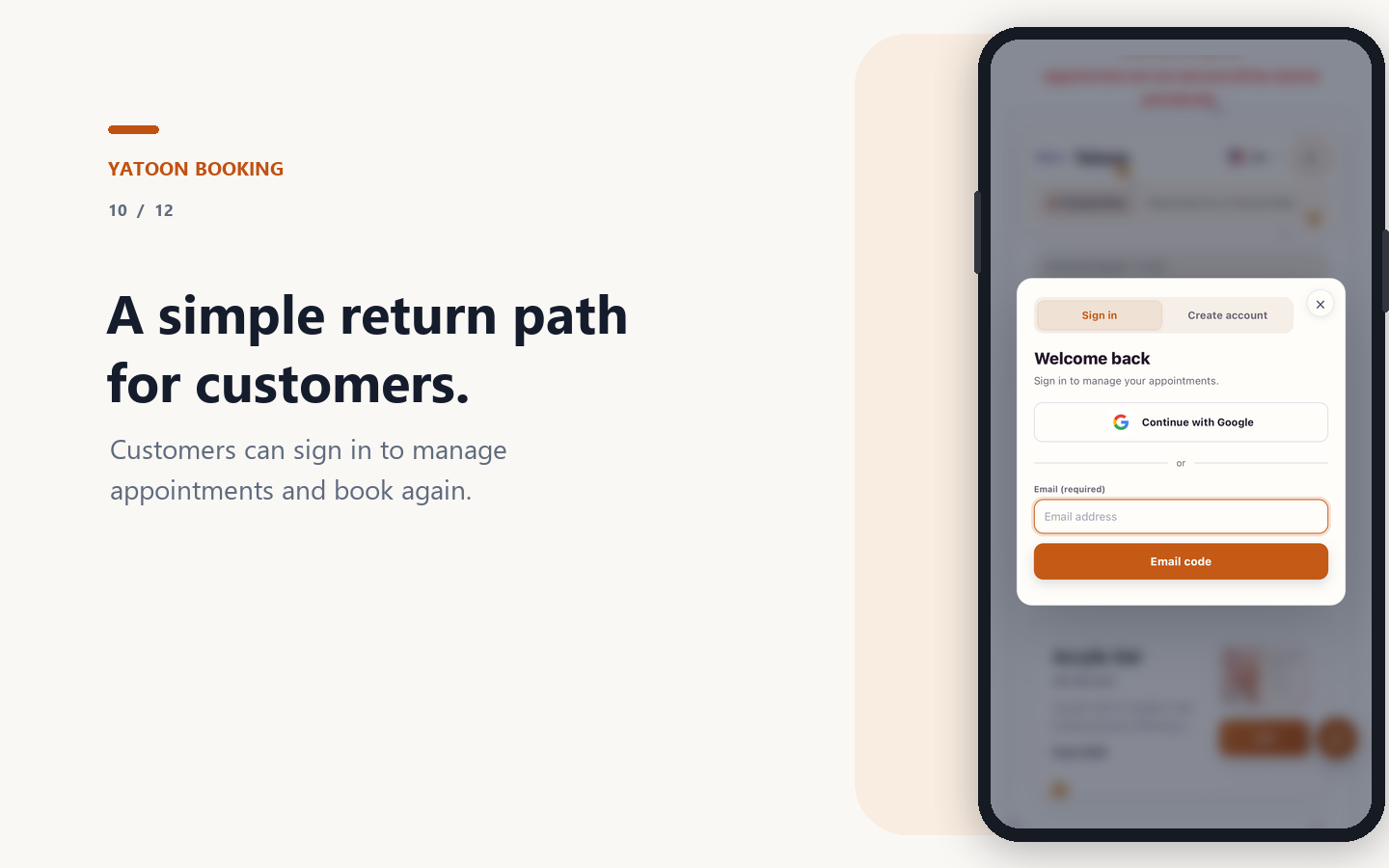


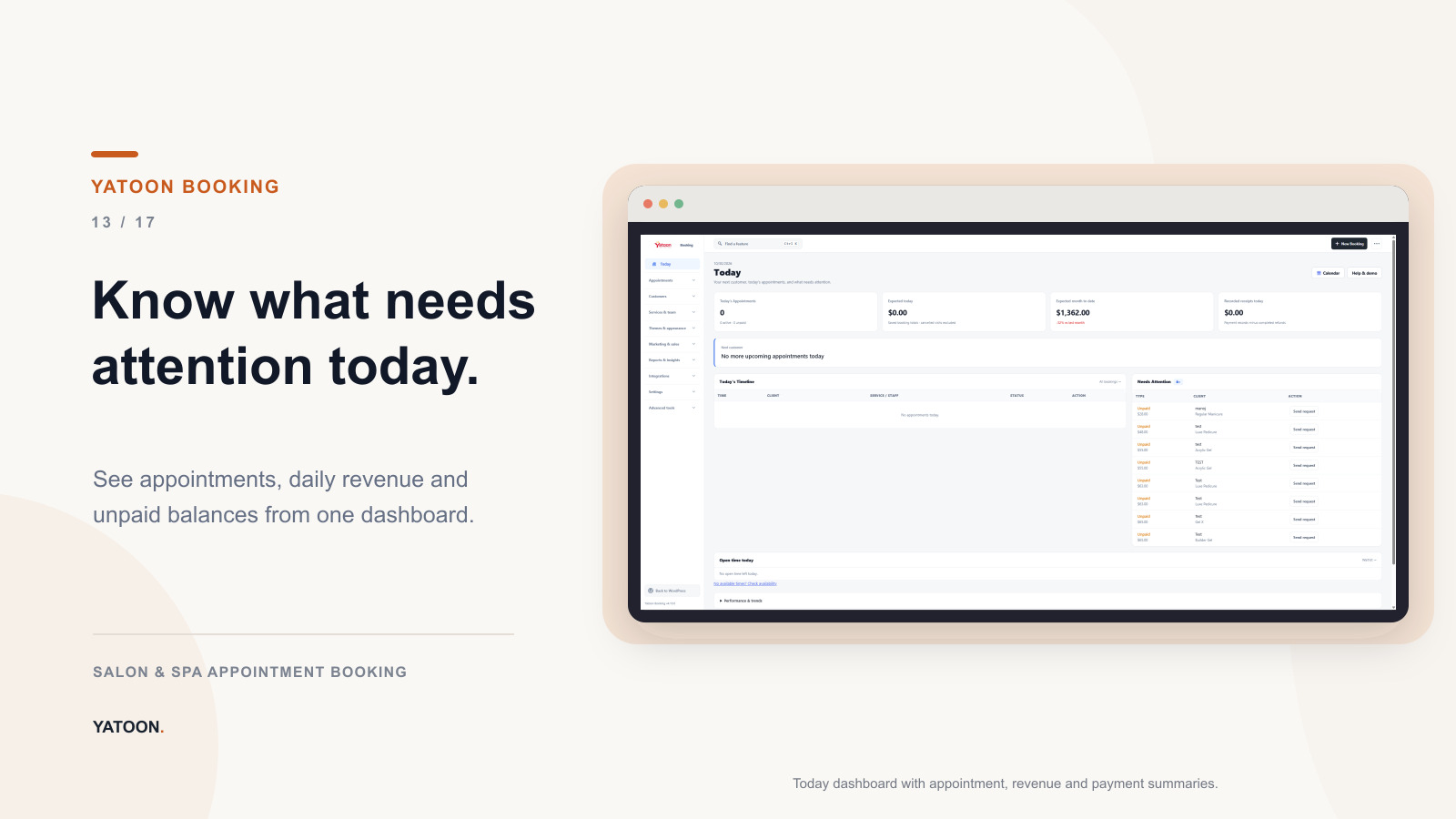
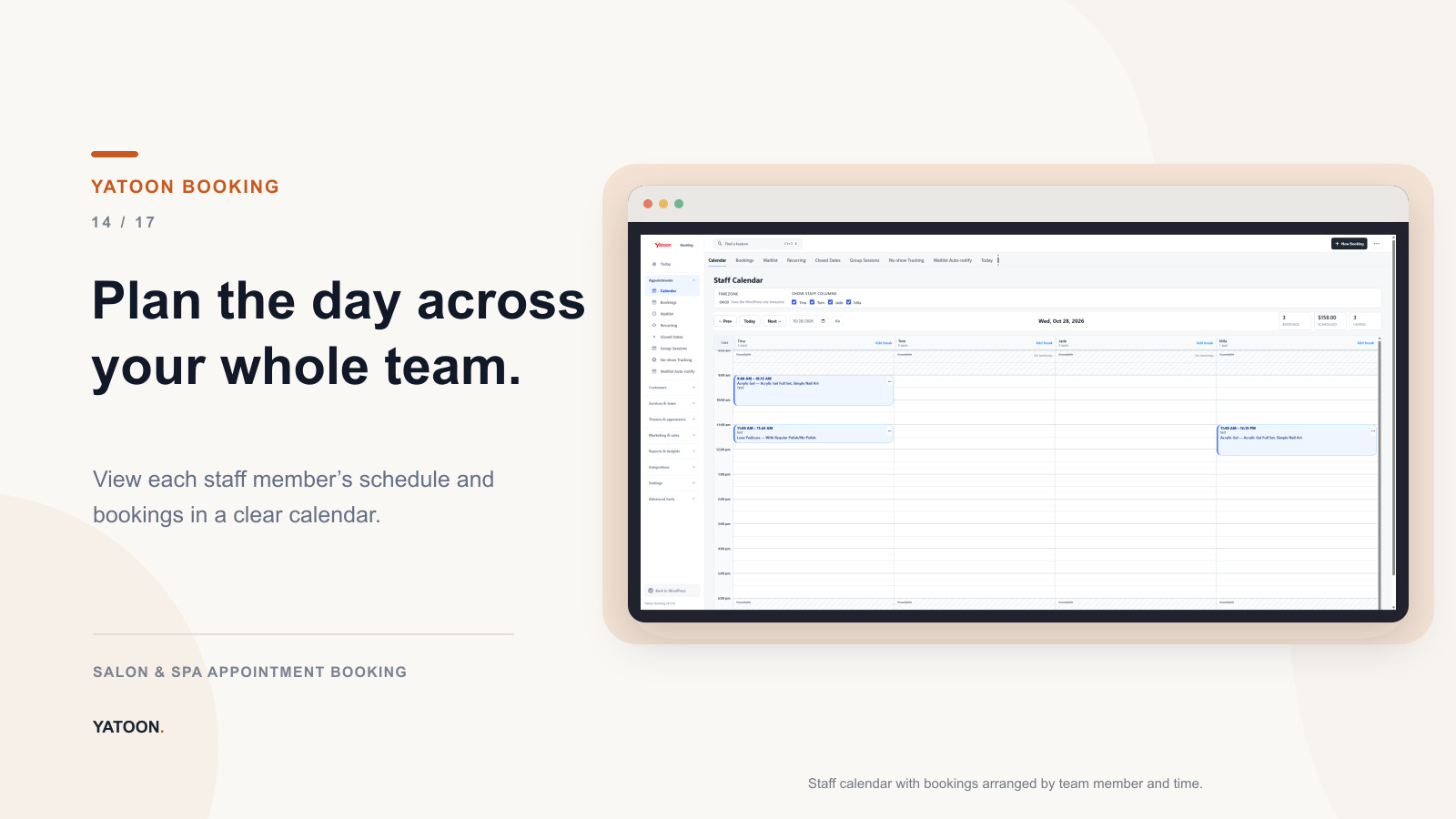

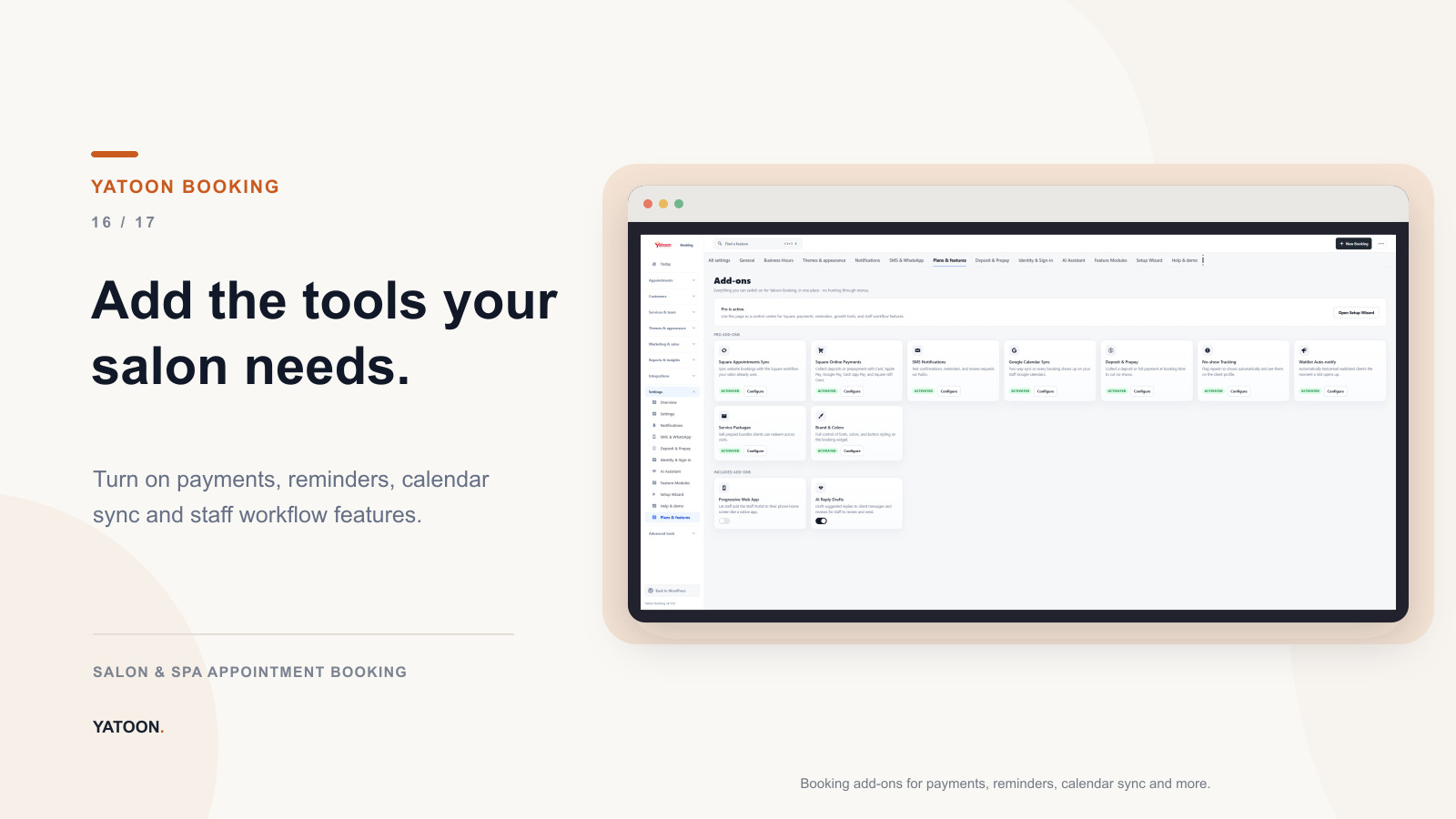
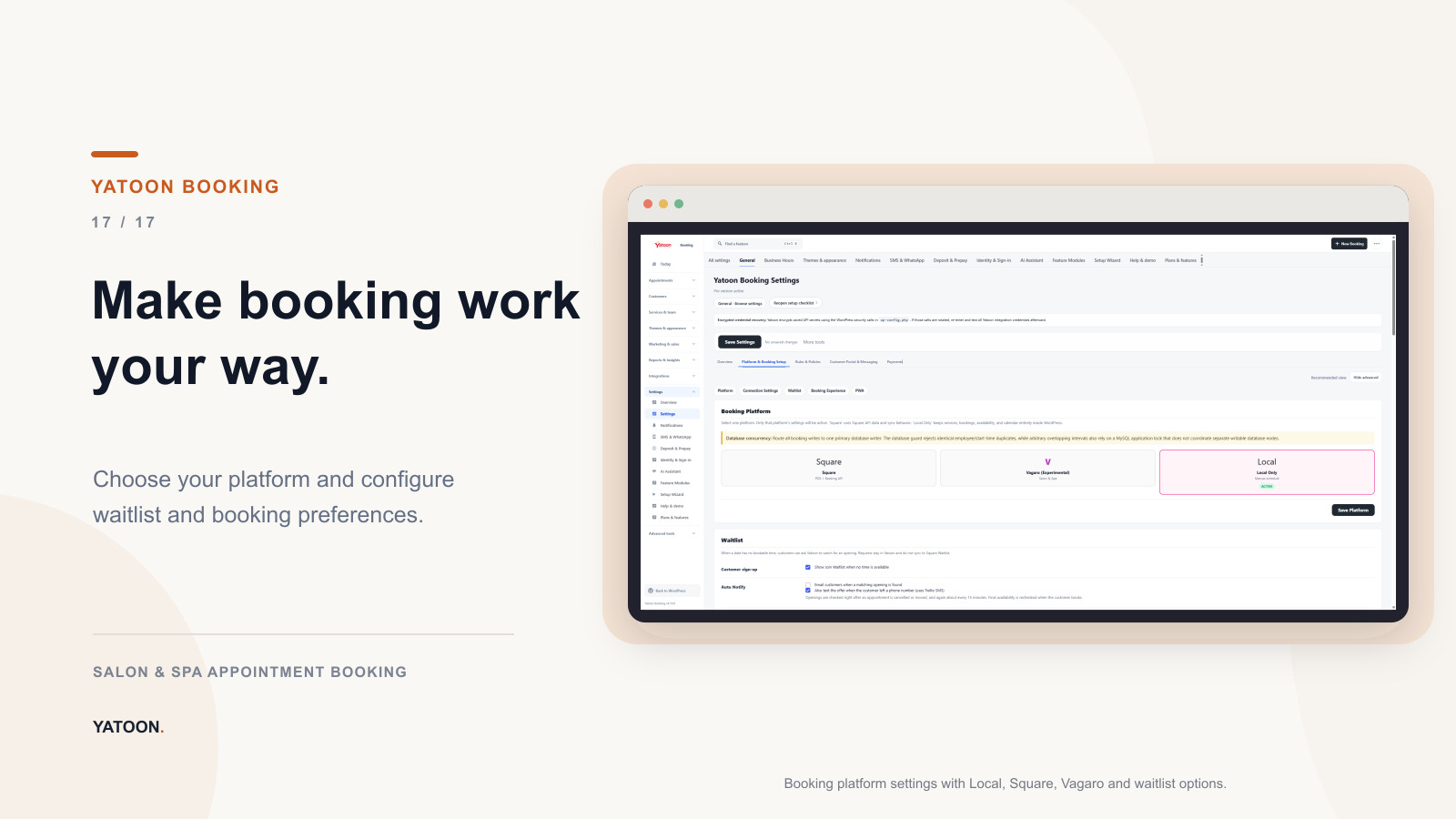

Installation
- Install and activate Yatoon Salon Booking & Appointments.
- Open Yatoon Booking > Settings > Features & setup > Setup Wizard.
- Add your services, prices, durations, staff, schedules, business hours, breaks, and closed dates.
- Connect only the payment, calendar, messaging, or platform integrations your workflow needs.
- Add the booking block, Elementor widget, builder element, or
[yatoon_booking]shortcode to a public page. - Run a test booking, customer self-service, and staff workflow before launch.
- Exclude booking and portal pages from full-page caching and delayed JavaScript optimization.
Open Settings > Features & setup > Help & demo for the built-in quick start, demo, and troubleshooting guide. The package includes docs/staff-portal-4.9.2.md for the staff fixes and targeted release checks.
FAQ
-
What does Pro add?
-
Pro adds unlimited staff, two-way Square Appointments synchronization, one-way Vagaro import with booking creation, online payments and deposits, no-show tracking, SMS and calendar integrations, a text-message booking assistant, advanced customer self-service, advanced growth tools, multi-location operations, and priority support.
-
Does Yatoon require Square?
-
No. Yatoon Free runs in Local mode inside WordPress. Square, Vagaro, Stripe, PayPal, Twilio, Google Calendar, and Outlook Calendar are optional integrations.
-
How does AI Chat connect, and how fast is it?
-
AI Chat uses the WordPress AI Client and the provider connections configured by the site owner. It does not use a separate AI Relay or expose provider credentials in the browser. The chat keeps the complete provider response and shows a clear sending state; it does not use fake character-by-character playback. The current public WordPress AI Client returns a complete text result rather than exposing a stable token-stream API to plugins, so this release does not claim token-by-token streaming.
-
Are AI features enabled automatically?
-
No. New installations keep Chat Concierge, the booking-form Style Assistant, natural-language rescheduling, and reply drafts off until an administrator enables each feature. Connecting a provider or entering an API key does not publish an AI widget by itself. Existing sites keep their saved settings when updating.
-
What does the Square integration cover?
-
Yatoon Pro supports two-way Square Appointments synchronization – creating, updating, and cancelling Square bookings and receiving Square webhooks – plus Square online payment, deposit, and refund options. Point of sale is limited to recording that an appointment was paid in Square POS or Tap to Pay so it settles correctly in Yatoon’s own reports and invoices; Yatoon does not replace the Square point-of-sale application.
-
What exactly does the Vagaro integration do?
-
It reads services, staff, and availability from Vagaro and creates new appointments in Vagaro when a customer books. It is an import plus booking creation, not two-way synchronization: Yatoon does not push Vagaro reschedules or cancellations, receive Vagaro webhooks, or run a scheduled re-pull.
-
Can customers book more than one service or guest?
-
Yes. Each guest can have separate services, staff assignments, timing, and reference photos while remaining part of one booking journey.
-
Does Pro support deposits and online payments?
-
Yes. Configure the provider and deposit rules required by your business, then test the complete payment and refund workflow in the provider’s test environment before going live.
-
Does the no-show rule charge the customer automatically?
-
It requires a deposit; it does not take money on its own. Once a customer reaches your threshold, their next booking is treated as a deposit booking and checkout asks for the deposit amount configured under Payments, through the gateway configured there. If no deposit gateway is set up, the rule can only flag the customer.
-
How does Yatoon protect against schedule conflicts?
-
It checks staff qualification, working hours, breaks, closed dates, existing appointments, shared resources, and external availability where applicable. A final server-side check runs immediately before the change is saved.
-
Does recording a payment in the Staff Portal charge the customer’s card?
-
No. Staff Portal checkout records money that was already collected (cash, a card run on your own terminal, a gift card). It keeps your books, tips and reports in Yatoon but never charges a card. To charge a customer online, send a payment request instead.
-
Can customers and staff manage appointments from a phone?
-
Yes. Customers can use the lightweight booking app and Customer Portal, while the Staff Portal is designed for mobile daily operations.
-
What database hosting does conflict protection require?
-
Yatoon uses MySQL/MariaDB advisory locks (
GET_LOCK) when available and can fall back to an InnoDB lock table. If neither lock is available, booking writes are refused rather than saved without protection. Open Tools > Site Health to check the detected lock backend. Advisory locks require the booking operation to stay on the same primary database connection and server; a Site Health probe cannot certify every proxy or multi-writer configuration. Ask the host about connection routing and verify concurrent bookings on a disposable site when using these configurations. -
Does Yatoon work with page builders?
-
Yes. Major booking surfaces are available through Gutenberg blocks, Elementor widgets, shortcodes, and adapters for Bricks, Beaver Builder, Divi, and Brizy.
-
Is Yatoon multilingual?
-
Yatoon bundles Simplified Chinese, Traditional Chinese, Spanish and Vietnamese catalogs. Technical coverage is measured against the current source catalog in languages/translation-coverage.json; untranslated messages fall back to English. Critical 4.8.3 customer copy was reviewed in English and Simplified Chinese; the complete catalogs have not received independent native-speaker review. Site owners can edit service names, descriptions, policies and labels.
-
Where can I get help?
-
Downloads, licensing, updates, and priority support are available through Yatoon.com. Copy the privacy-safe technical summary from Operations when reporting an integration problem.
Reviews

Contributors & Developers
“Yatoon Salon Booking & Appointments” is open source software. The following people have contributed to this plugin.
Contributors

“Yatoon Salon Booking & Appointments” has been translated into 3 locales. Thank you to the translators for their contributions.
Translate “Yatoon Salon Booking & Appointments” into your language.
Interested in development?
Browse the code, check out the SVN repository, or subscribe to the development log by RSS.
Changelog
4.11.0
- Staff portal: show when a synced appointment price needs confirmation and allow authorized staff to confirm it before checkout.
- Staff portal: make appointment times easier to read, streamline the mobile editor header, and show loading and recovery options when adding or editing an appointment.
- Staff portal: keep appointment icons at text size and use verified local in-store payments to supplement appointment visit history without double counting.
- Preserve existing weekly staff schedules when revisiting setup; clarify service assignments, improve selected-language dates and simplify a single required service option.
- Staff app: redesigned appointment, customer and add-appointment screens; calendar settings with employee colors and display order; customers can be sorted (last visit, A-Z with a letter index, most visits, newest); the installed app now updates itself.
- Staff calendar: new „All appointments“ list; managers can open on the whole team.
- Fixes and interface improvements throughout.
4.10.3
- Performance: pages without Yatoon content stay cacheable again; pages that load Yatoon assets, and visitors who chose a non-default booking language, are served uncached.
- Translations: on a new install the site’s own language is the booking default when it is bundled; other site languages keep WordPress translations.
- Privacy: erasure also removes gift card purchaser/recipient details and the client’s look history.
- Code quality: Plugin Check findings resolved (translator comments, prepared SQL, output escaping, translatable labels).
4.10.2 (r20)
- Storefront: currency-correct package and membership amounts, including zero-decimal currencies and manual checkout.
- Payments (Pro): durable purchase references, immutable Stripe idempotency keys, verified payment linking, refresh/redirect recovery, processing/refund checks, queued receipts and administrator reconciliation.
- Privacy: erase signatures, custom form answers, guest labels, private links and directly linked contact copies; repair partial legacy erasures and retain retryable merged-customer identities until completion.
- Retention: daily batches with continuation, phone-only coverage and checked erasure failures.
- Security (Pro): validate web-push provider endpoints, public destinations and device ownership; use safe HTTP with redirects disabled.
- Availability: return the selected location timezone, including DST; Google Calendar failures pause affected times by default with explicit cached/local alternatives.
- UI: compact booking introduction, accessible storefront modal, recoverable network errors and clear one-time membership terms.
- Translations: new critical purchase/recovery/privacy/calendar messages in Simplified and Traditional Chinese; existing other locales retained with English fallback for new messages.
4.10.2
- Payments: prevent duplicate ledger entries and repair interrupted bank-payment recording.
- Cancellations: apply the saved refund policy when a pending bank payment clears.
- PayPal: reconcile pending refund results.
- Refunds: update only the paid appointment, preserving other cart items.
- Square: refresh automatic Any Staff service notes when services change; preserve merchant notes and restore notes on rollback.
- Square: allow changing cards after a confirmed decline while keeping uncertain payment retries safe.
- Manage booking: restore the compact language menu on desktop and mobile.
- Stripe: the hourly bank-payment check always handles processing payments first; older bookings from before the order ledger are no longer re-checked every hour.
- Manage booking: changing one service keeps the other „Any staff“ services flexible.
- Manage booking: when a customer changes services, the order, invoice and balance now follow the new services and prices (they used to keep the old total).
- Manage booking: when a customer cancels one appointment item, the order balance no longer includes the cancelled item.
- Translations: the compiled .mo catalogs used a header WordPress rejects, so customer-facing text such as „Sign In“, „New to …?“, „Create Account“ and the chat button stayed in English in every non-English language. The catalogs now load, and the new payment, cancellation, pre-visit form and sign-up messages are translated into every shipped language.
- Booking: an invalid appointment time no longer causes a server error.
- Booking: the upcoming-visit limit counts visits, not individual services.
- Manage booking: the page no longer crashes on sites whose timezone is set as a UTC offset (for example UTC-4).
- Security check: with Strict mode off, a Turnstile check that cannot load (for example behind an ad blocker) no longer blocks a real customer; Strict mode on still blocks.
- Checkout: a refusal before any payment (security check, booking limit) now shows a message and keeps the form editable instead of switching to the booking-status panel.
- Stripe checkout: a payment Stripe refuses (no payment method chosen, card declined, failed verification) now shows the reason and keeps the payment form open so the customer can pay again; it no longer ends the checkout in the booking-status panel.
- Orders: a cancelled appointment no longer counts toward the balance due. When every appointment on an order is cancelled the order shows as Cancelled with nothing owed; any deposit kept or refunded stays in the payment history.
- Stripe checkout: in a cart with two paid appointments, the second payment form now starts with a working Pay button. Before, it kept the first payment’s „Processing…“ state and the customer could not pay for the second appointment.
- Bookings list: a cart with appointments on different days shows the date range, and each expanded row shows its own day, instead of one long block on the first day.
- Checkout recovery: a paid checkout that needs attention now has a Mark as handled button, for after you refunded the payment or booked the customer another way. Handled checkouts leave the list and the admin notice, and are removed after 30 days.
- Square: a payment that was refunded, or that was taken for a different checkout, can no longer be used to confirm a new booking.
- Manage booking: date and time follow the appointments that are still booked after a partial cancel; carts on different days show each day.
4.10.1
- Add a store currency selector and improve currency symbols, decimal precision and price previews.
- Streamline language switching and improve duration and currency display.
- Keep option navigation buttons readable and clarify language switching preserves selected services.
- Improve staff appointment form layout and field translations on mobile.
- Refine staff language menus and show today’s opening time before business hours.
- Configure customer and staff languages with an ordered list and searchable language picker.
- Require a confirmed Square booking lock before rescheduling.
- Staff Portal: add independent language selection, display and ordering controls, and improve translations.
- Improve booking translations and customer appointment management.
- Admin navigation: add clickable menu paths across Yatoon screens, including nested settings and Brand & Colors.
- Booking: add optional strict technician gender preferences with no cross-gender fallback.
- Staff: set employee gender, with unspecified staff available under No preference only.
- Brand & Colors: customize the Any Professional follow-up note.
- Database compatibility: use standard column metadata checks for upgrade backups and automation schema verification.
- Upgrade protection: identify the affected table when backup column inspection fails.
- Booking: update the Any technician card copy for No preference, Female only and Male only.
- Staff: move the customer gender-filter switch beside staff settings; keep its note customization with booking-page branding text.
- Booking summary: prevent the service count suffix from wrapping onto a separate line.
4.10.0
- Admin navigation: separate Daily work, Manage and Workspace; keep low-frequency utilities in the quick-actions menu with a failed-notification badge.
- Today: show the existing appointment and revenue metrics first, followed by the next customer, daily timeline and attention queue. Move no-show analysis into Performance & trends.
- Settings: group the directory into seven categories, add frequent shortcuts and stable category links, and preserve category filtering across navigation.
- Bookings: keep image/location filters in More filters, automatically expanded when either filter is active.
- UI: refine spacing, forms, tables, dark mode and mobile timeline cards; remove legacy dashboard decoration and the mobile WordPress toolbar gap.
-
Localization: complete Simplified Chinese labels for the updated screens and localize dashboard status and summary text.
-
Admin redesign: every Yatoon admin screen now shares one calm layout. Settings fields are label-and-control rows in neutral cards, Staff and Bookings lists no longer need sideways scrolling (one two-line row per person or appointment), plus slimmer headers, flat tabs, a sticky Save bar, a light Today banner and readable column widths. Layout only; nothing about your data or settings changes.
- Admin: added a „WordPress dashboard“ text link at the bottom of the Yatoon sidebar (the top-bar icon stays).
- Staff app (Square): the background refresh now pulls only the dates being viewed instead of the next 30 days, and runs less often while the Square webhook is active.
- Staff app: the week strip now fits any phone width (Today and Next no longer scroll off-screen) and its Next/Today arrows point the right way.
- Staff app: preserve confirmed prices on simple edits; validate selected options and calculate staff, variation and add-on prices for new or changed services.
- Staff app: authorize and lock every service before cancelling a visit; save confirmed Square cancellations and report partial results safely.
- Staff bookings now trigger the shared booking lifecycle after commit, including reminder rescheduling, calendar hooks and availability invalidation.
- Fix calendar month navigation in positive UTC offsets and reload the correct range when returning to Today.
- Initialize Google handoff and email/SMS sign-in before staff log in.
- Correct Last visit to exclude future, cancelled and no-show appointments; invalidate cached histories after booking edits and customer merges.
- Keep the full-screen staff layout, lean page, background Square sync, theme colors and first-name-only setting. Staff names refresh when that setting changes.
- Staff PWA entry-page discovery also recognizes configured, previously rendered builder and block pages.
- A cancelled or finished appointment can no longer be dragged back onto the calendar, and a drag that races a cancellation no longer undoes it.
- Admin, staff app, REST and customer changes to the same visit now wait for each other instead of overwriting each other.
- Staff app (Local mode): new and edited appointments are checked against the staff member’s services, opening hours, working hours, time off, connected calendars and shared resources.
- Cancelling several services at once now cancels all of them or none.
- New staff permission „Book outside hours“ (on for Manager and Owner): after a warning, a manager can still book outside opening hours, working hours or time off, or for a service the team member is not set up for. Double bookings and busy shared resources are never allowed.
- Bookings list: moving a service up or down in a multi-service visit now really swaps them, keeps the visit at its time (before, it could move hours earlier), leaves other guests untouched, and checks the new times first.
- Fix the admin „New Booking“ button opening the Manage Booking page („No booking token provided“) instead of the booking page.
- Staff app: full-screen layout, cleaner iOS-style look, compact Today view, simpler calendar toolbar and bottom tab bar.
- Square: a team member renamed in Square now updates in the staff app and booking page within the hour, without a full sync.
- Staff app (Square mode): opens straight away instead of waiting about 10 seconds for Square; the sync now runs in the background and the schedule refreshes when it finishes. Admin Bookings and Calendar pages no longer wait for it either.
- Staff app page loads faster: it opens without the site header, footer and other plugins’ scripts (setting „Fast staff app page“, on by default).
- Staff app schedule loads much faster on salons with many bookings (client visit history is now looked up once per client and cached).
- Staff app page built with Brizy or another page builder is now recognized, so the fast page applies there too.
- Staff app colors follow the booking page theme (setting „Staff app colors“, on by default).
- New switch on the Staff page, „Show staff last names in the staff app“: turn off to show first names only, like the booking page.
- Admin: Bookings and Staff lists open with sensible column widths (Status, Payment and Actions visible without sideways scrolling); the calendar opens on today instead of an old day; page titles and the Today summary read correctly.
- Admin: calmer calendar column headers (no overlapping „Unavailable“ and „No bookings“); Settings page loses a layer of navigation and the „Settings > Settings“ breadcrumb.
- Booking page: service photos use the 1024px size instead of the full original, so they load faster on phones.
- New setting „Convert service photos to WebP“ (on by default): saving a service makes a smaller 1024px WebP copy of its PNG/JPEG photo. The original upload is never changed.
4.9.1
- Fix the booking page heading, tagline and highlight chips being almost invisible (white text on a white banner) with the default look on desktop.
- New sites now open the setup wizard right after activation, instead of the Settings page.
- Setup wizard: the text fields now match the other fields, and pressing Continue again on the Services step no longer creates the same service twice.
- The activation screen now shows the Yatoon icon.
- The booking page banner says „1 service“ instead of „1 services“.
- Owner alerts (new bookings, cancellations, reschedules, Text us messages and waitlist requests) now go to the WordPress admin email when no contact email is set. Before, a new site sent these alerts to nobody.
- New sites get a Manage Booking page, so the „Reschedule or cancel“ link in confirmations works. Before, it opened the home page.
- Group appointments are offered only when there are enough team members for everyone to start together, and Settings explains why. The guest window now says „Add 1 guest“ and stays in the site language.
- The Manage Staff button in Settings opens the staff list.
- Support diagnostic panels on the Bookings page no longer appear just because WP_DEBUG is on.
- Fix PHP 8.1+ deprecation notices on Yatoon admin pages.
- „Reschedule or cancel“ links in emails now work until the appointment is over. Before, they stopped working 7 days after the email was sent, so customers who booked weeks ahead could not use them.
- Appointment reminders: each visit gets exactly one reminder, also when nobody visited the site at the reminder time. Cancelled visits no longer get one, multi-service and group visits get one instead of one per service, and a rescheduled visit is reminded for its new time. The default subject now shows the date and time instead of „is tomorrow“.
- Review and rating requests are no longer sent for cancelled or no-show visits, before a rescheduled visit has happened, or more than once per visit.
- Setup wizard: asks for your time zone (detected from your browser). Yatoon pages show a reminder while the site still uses the WordPress default (UTC).
- Setup wizard: the days and hours you give for a team member are added to the salon’s opening hours, so customers can book them (for example Sundays or evenings).
- After setup, the Today page and the last wizard step show your booking page link with a Copy button until the first real booking arrives.
- „Max upcoming bookings per phone“ no longer marks other customers’ upcoming appointments as completed, and counts correctly in every time zone.
- The „Popular picks“ row is hidden on small menus unless you choose featured services, so a new booking page no longer lists the same service twice.
- Confirmation emails no longer show empty „Option: -„, „Notes: -“ or „Phone: -“ rows.
- The encryption-key warning appears only on Yatoon pages, and only after a payment or messaging credential is saved.
- The Today page says „No open time left today“ instead of „Fully booked“ when no times remain.
- Internal reliability improvements to availability searching.
4.9.0
- Improve booking channels, pre-visit forms and quick rebooking.
- Improve verified sign-in and remembered browsers.
- Refresh language flags, the account icon and mobile cart layout.
- Fix dark-mode readability (service prices, category bar, selected tab), generic Regular labels, and make the Closed Today badge and group-appointment hint follow the theme.
- Group sessions: saving and cancelling now share the booking calendar lock and recheck staff conflicts and capacity inside it; failed database writes are reported instead of shown as success.
- Chat booking: correcting an email or phone number by typing it in the chat now updates the booking (previously the old, misspelled address was kept), the summary card has an „Edit contact details“ link and „Change something“ now offers Contact details, and a suggested fix such as „Did you mean name@gmail.com?“ is pre-filled in the contact form and can be accepted by replying „yes“.
- Fix the chat booking form showing „enter a valid phone number“ while a valid number was being typed (and never clearing it).
- Remove a sample phone number from the chat booking form so no real number is shown as a placeholder.
- The Chat button and chat window now follow the booking theme colour (including seasonal themes) on pages that show the booking form, with a setting to keep a fixed colour instead.
- Group sessions: cancelling a session now cancels its reservations and emails each attendee, and moving a session emails attendees the new time with a cancel link. Confirmation emails show the formatted date and time.
- Improve booking availability, rescheduling and staff selection.
- Strengthen customer identity checks and update reliability.
- Harden self-service appointment links.
4.8.5
- Fix Settings > General options that did not save: waitlist private-link time and phone country detection.
- The booking page loads 5 stylesheet files instead of 10 with no visual change, and on-demand booking files update reliably on sites that strip version numbers from URLs.
- The customer app installs on sites that use plain permalinks.
- Faster booking page: less JavaScript and CSS to download before the service list appears; later steps load in the background.
- Fix booking steps that could fail to load on a page left open while the plugin was updated.
Earlier versions are listed in changelog.txt.