
Description
Bluvia – A/B Testing & CRO Tool lets you run split tests and conversion rate optimization (CRO) experiments directly on your WordPress site. Unlike cloud-based competitors, all experiment data — variants, views, conversions, and results — is stored in your own WordPress database and never leaves your site. The core plugin makes no external requests of its own.
Why Bluvia?
- No visitor-based limits — track as much traffic as your site receives, with no limit on the number of experiments you can create or archive
- Local data storage — experiment data, results, and variant content stay in your own WordPress database
- Privacy-friendly — designed with privacy in mind, with configurable cookie consent integration
Experiment Types
- Headline — test different headline titles, images, or excerpts
- Page — test entire versions of a page with different content, layouts, or offers
- Post — compare versions of a blog post or article
- URL Redirect — split visitor traffic between your current page and one alternative URL
- Custom Post Type — test variations of any custom post type on your site
- Button / CTA — test changes to a button’s text, color, or link
- Menu — test different WordPress menu layouts or item labels to improve navigation
Key Features
Experiment Management
- A/B and multivariate testing with unlimited variants
- Visual experiment editor (WYSIWYG-style interface)
- Preview any variant before launching
- Apply winner: promote the winning variant to live content
- Archive completed tests to clean up your library
- Duplicate experiments for iteration
Conversion Tracking
- Goal types: page view, button/link click, form submission, scroll depth
- Cookie-based deduplication to prevent double-counting
- Daily conversion history for trend charts
Audience Targeting & Segmentation
- Device type: desktop, mobile, or tablet
- Geographic location — country targeting and geographic exclusions, provided by the Bluvia Premium add-on (free with a registered Bluvia account)
- Traffic source: organic, paid, social, direct, referral
- Visitor type: new vs. returning
- IP exclusion rules to filter out internal traffic
Results & Analytics
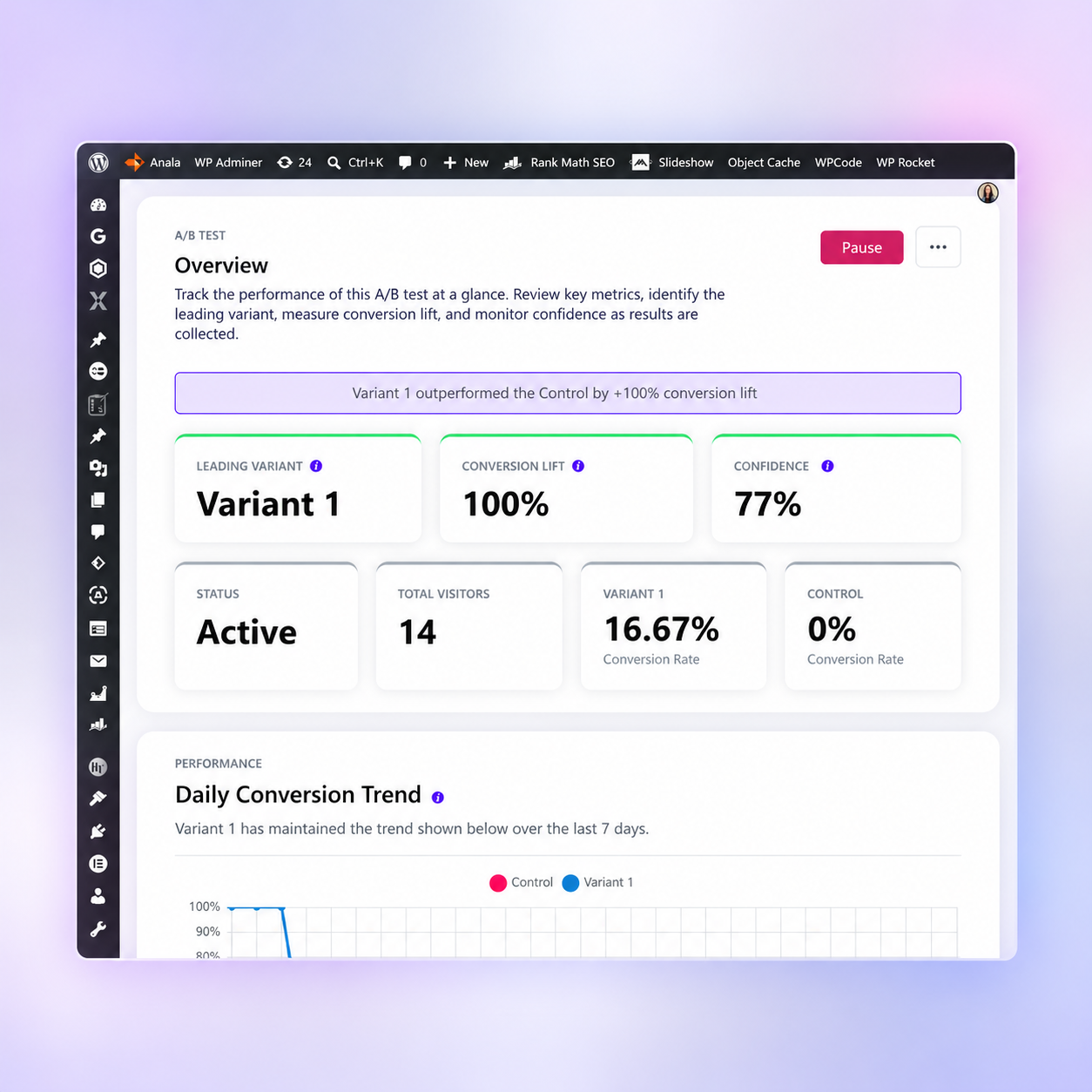
- Statistical confidence level calculation
- Visual performance charts with historical trends
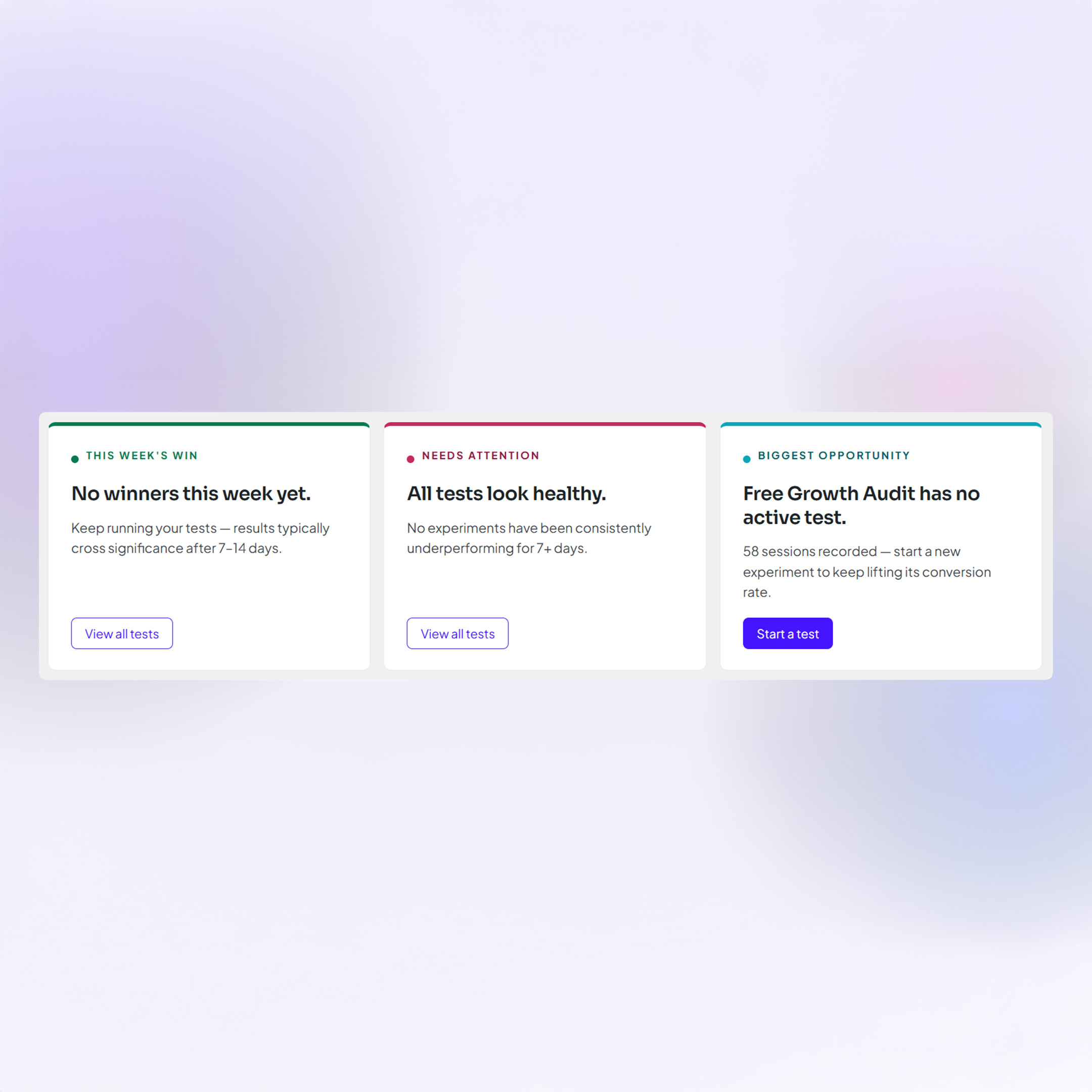
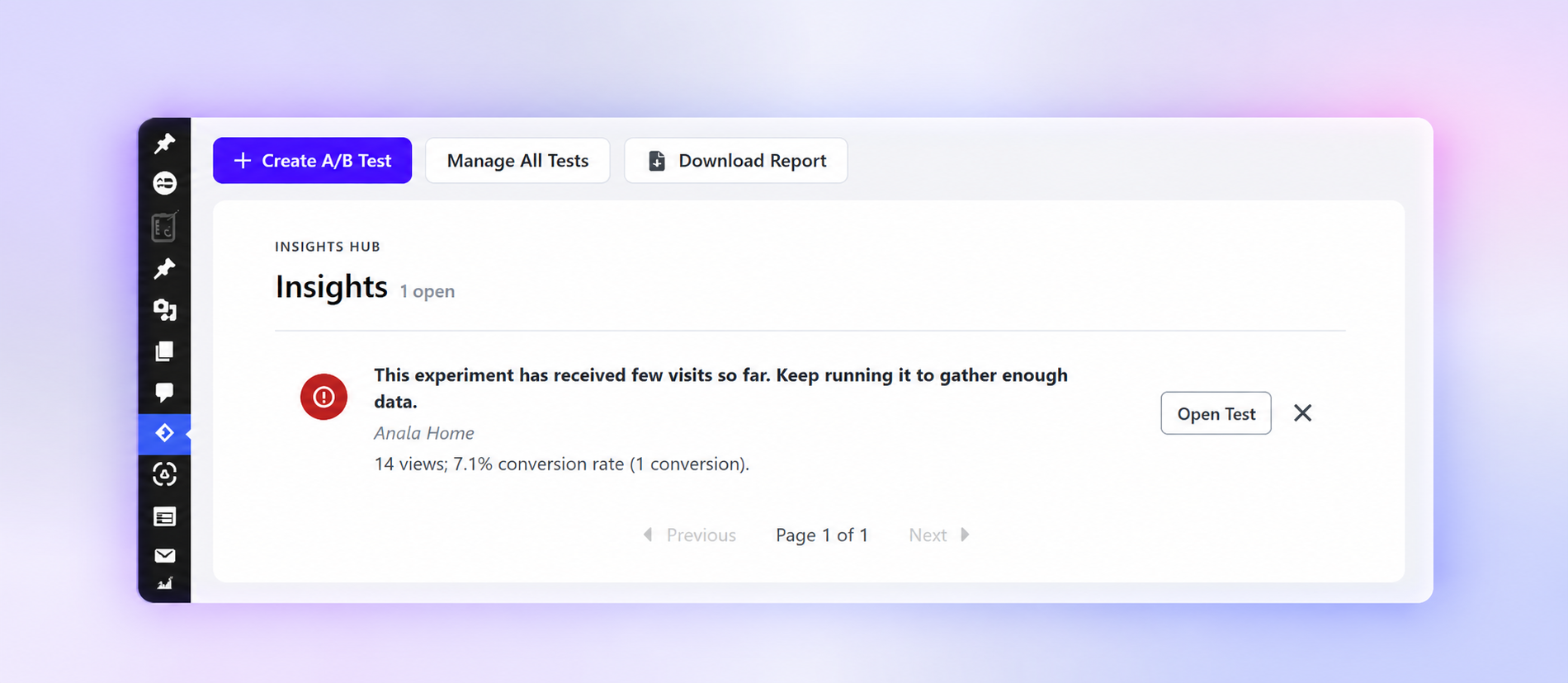
- Automated insights engine — flags low traffic, trending variants, experiments ending soon
- Export results to PDF
Privacy
- Designed with privacy in mind
- All experiment data stored locally on your own server
- Configurable consent integration: tracking, cookies, and the premium add-on’s country lookup only activate when your specified consent cookie is present
- No names or email addresses are collected — only behavioral and technical signals. The core plugin sends no visitor data off your server
Screenshots
Installation
- Upload the
bluvia-ab-testing-cro-toolfolder to the/wp-content/plugins/directory, or install it directly through the WordPress Plugins > Add New screen. - Activate the plugin through the Plugins menu in WordPress.
- Navigate to Bluvia – A/B Testing & CRO Tool in the admin sidebar to create your first experiment.
Minimum Requirements
- WordPress 6.0 or higher
- PHP 8.1 or higher
FAQ
-
Does this plugin send my data to an external server?
-
Your experiment data always stays in your own WordPress database — variants, views, conversions, and results are never transmitted to Bluvia or any third-party service. The core plugin makes no external requests of its own. The „Quick Feedback“ form shown when you deactivate the plugin only writes to the local log (when the „Logging“ setting is on); nothing is sent.
Country targeting is provided by the Bluvia Premium add-on, which sends the visitor’s IP address to Bluvia to resolve their country.
-
Is there a limit on how many experiments I can run?
-
You can create, run, and archive as many experiments as you need, including running any number of tests simultaneously. There is also no limit on visitor traffic or page views.
-
Does it work with page builders like Elementor?
-
Yes. When editing Page, Post, or Custom Post Type variants, the visual variant editor supports content built with Elementor and the native WordPress block editor (Gutenberg). More broadly, the plugin works with standard WordPress themes and popular page builders.
-
Yes. The plugin is designed with privacy in mind: all experiment data stays on your server, and you can configure it to only activate after a visitor accepts your cookie consent banner, by specifying the name of the consent cookie in the plugin settings. Until that cookie is present, the plugin sets no cookies, records no views or conversions, and does not let the premium add-on look up the visitor’s country.
-
bluvia_experiment_{id}— experiment assignmentbluvia_experiment_variant_{id}— variant assignmentbluvia_view_registered_{id}— guard against double-counting a viewbluvia_last_page— last visited page (1-hour session cookie)bluvia_goal_completed_{experiment_id}— goal completion flagbluvia_user_converted— overall conversion flagbluvia_traffic_source— traffic source classificationbluvia_visitor— new vs. returning visitor flag
-
Can I export my results?
-
Yes. Results can be exported to PDF from the experiment results page and the plugin dashboard.
Reviews
There are no reviews for this plugin.
Contributors & Developers
“Bluvia – A/B Testing & CRO Tool” is open source software. The following people have contributed to this plugin.
Contributors
Translate “Bluvia – A/B Testing & CRO Tool” into your language.
Interested in development?
Browse the code, check out the SVN repository, or subscribe to the development log by RSS.
Changelog
1.4.2
- Changed: the „Choose a Plan“ button on the Go Premium screen now opens the Automate plan page.
- Changed: removed the External Services and Third-Party Libraries & Build Process sections from the plugin description.
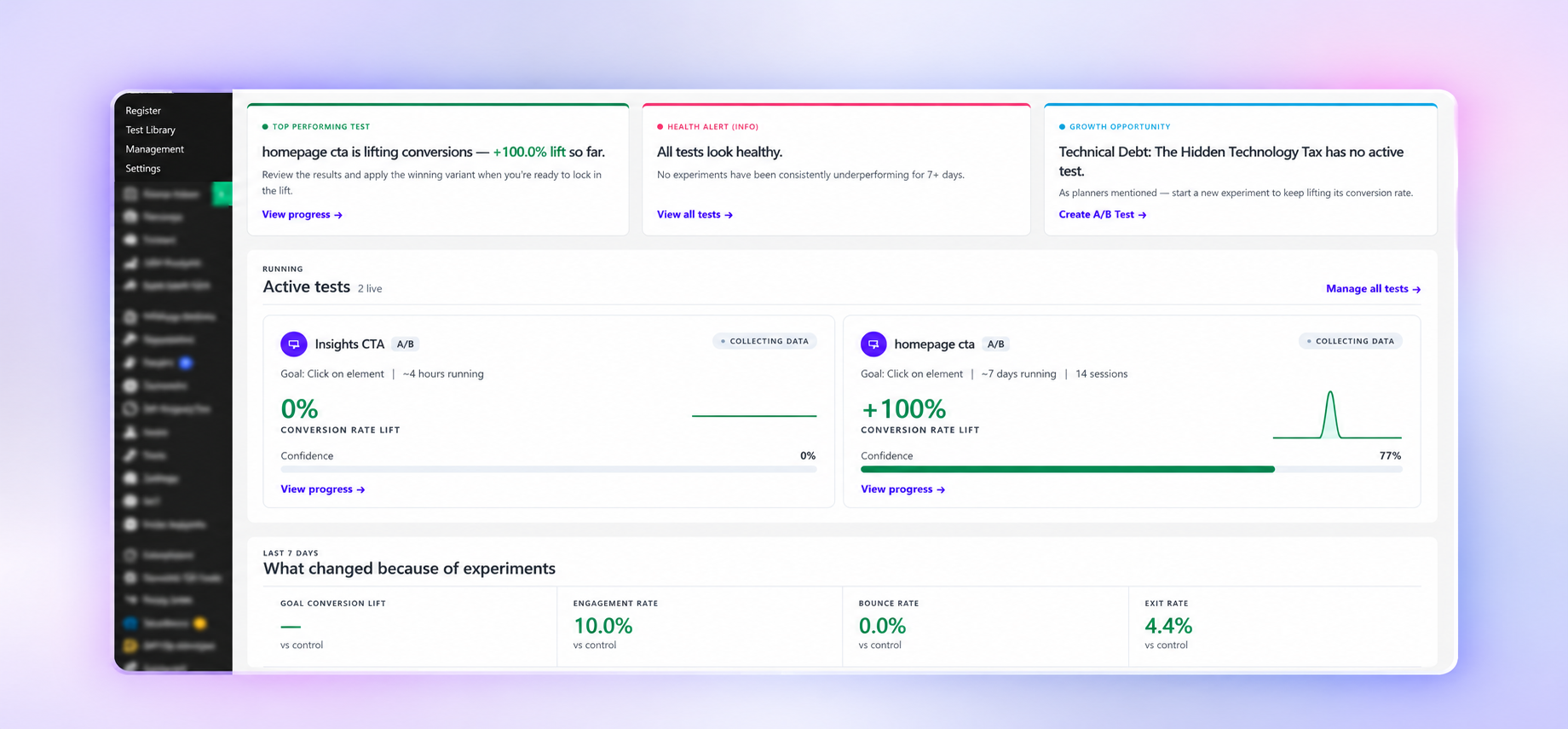
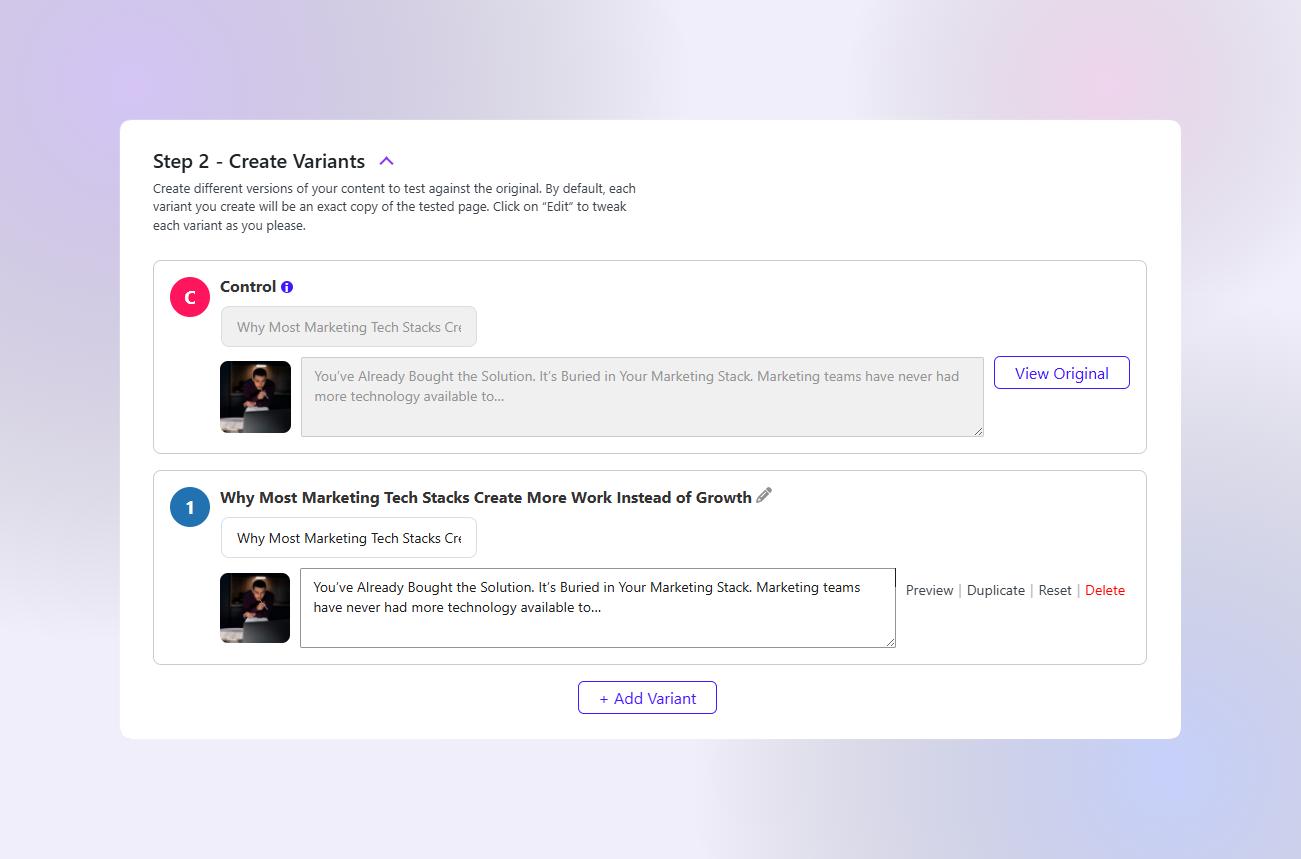
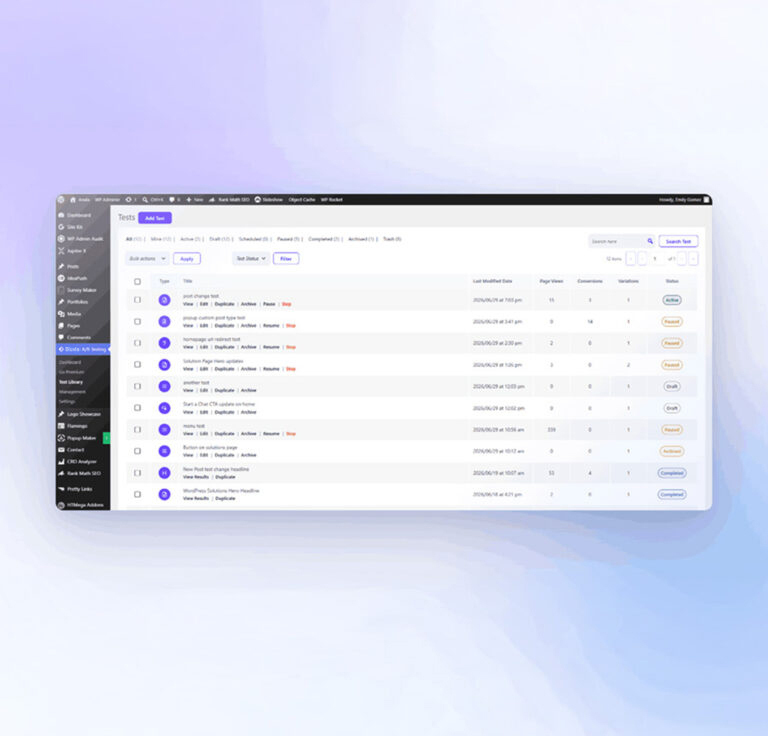
- Changed: the plugin page now has six screenshots: dashboard analytics, variants, cards, test progress insights, the test library and dashboard insights.
1.4.1
- Changed: clearer plugin description on WordPress.org. The Headline, Button / CTA and Menu test types are described more accurately, archiving completed tests is listed under Experiment Management, and the FAQ notes that results can also be exported from the plugin dashboard.
1.4.0
- Fixed: a Button/CTA test on a page with several similar buttons (an Elementor header button, or separate desktop and mobile copies of the same button) could assign the variant while the button you are testing stayed the control, so clicks on it were not counted.
- Fixed: the click tracker now loads on the page the visitor is actually viewing, including when the theme swaps the post while it builds the header.
- Changed: while a test is running, that page tells caches and CDNs not to store the response, so a cached copy cannot keep showing the control after a variant was assigned.
1.3.0
- Changed: the Dashboard Insights list now shows five insights per page, the name of the test and its page under each insight, and the test’s views, conversion rate and conversions when it has any. The „open“ count at the top updates as insights change.
- Changed: Insights icons are now filled circles, and the previous/next paging is plain text.
- Added: add-ons can place their own items in the Insights list and the Insights header. Bluvia Premium uses this to show AI test suggestions there (requires Bluvia Premium 0.11.0 or later for that).
- Fixed: the „Open Test“ button on an insight for a heatmap or session recording test now opens that test’s own results screen instead of the generic one, which looked blank.
1.2.1
- Saving a test (draft, changes, launch or a variant edit) now updates its „Last Modified Date“ in the Test Library, and the library’s default sort moves it to the top. Previously the date stayed at the time the test was created.
- The editor’s Preview Test panel and the share-link preview now label the original page „Control“, followed by „Variant 1“, „Variant 2“ and so on. Previously the editor showed „Variant 0“ and share links started at „Variant 1“.
- The Test Library can now be sorted by Type, Title, Last Modified Date or Status: click a column header, and click again to reverse the order. Page Views, Conversions and Variations headers no longer look clickable.
- In the editor’s Test Summary panel, clicking „Edit details“ for Duration or Targeting now highlights just the link instead of the empty space below it.
- Duplicating a Headline, URL Redirect or Menu variant now names the copy for the slot it lands in (duplicating Variant 1 gives a new „Variant 2“), and the variants after it are renumbered. Names you typed yourself are never changed.
1.2.0
- The core plugin no longer contacts Bluvia at all. The deactivation „Quick Feedback“ form now only writes to your local log (when logging is on); it was never reaching Bluvia anyway.
- Disconnecting the premium add-on now issues this site a fresh serial number, so a new „Go Premium“ purchase links to the right site.
- To point Bluvia links (pricing, docs, account) at another host, define
BLUVIA_PUBLIC_SITE_URLinwp-config.php. The plugin no longer definesBLUVIA_LICENSE_SERVER. - Requires: Bluvia – A/B Testing & CRO Tool Premium 0.8.1 or later, if you use the premium add-on. Older versions show an „update Premium“ notice.
1.1.4
- Fixed activation on MySQL 5.5 and 5.7, where the tracking table could fail to be created.
1.1.3
- In the test editor, an error message and its red outline now clear as soon as you fix the field, instead of staying until you launch or save again.
- The Test Summary panel now shows „Start: Immediately“ when a test has no scheduled start date.
1.1.2
- Editor save, launch and variant requests, and conversion tracking requests, now verify their security nonce wherever they read submitted data.
- Test Library links to stop, delete, duplicate, archive or restore a test now check their security nonce before anything else.
- Headline preview overrides are only read from the URL after preview access has been confirmed.
- Admin screens, including the new-test screen and the Results page scheduling notice, are now identified from WordPress’s own values instead of re-reading the URL, and unused code that hid the admin bar and menu on screens opened with
iframe=1has been removed. - Country targeting and geographic exclusions are now part of Bluvia Premium (add-on 0.8.2 or later), free with a registered Bluvia account. The plugin no longer sends visitor IP addresses to the Bluvia geolocation service.
- The Geo-Targeting and Geographic Regions controls now come from the add-on. Without it, the test editor says a saved geo rule is inactive and keeps it, and tests skip those rules instead of excluding every visitor.
1.1.1
- CSS and JavaScript variant code is now sanitized on every save path, including when a variant is duplicated.
- Button variant links are sanitized on every save path, and button colours and corner radius accept only valid CSS values.
- Test actions now follow per-post permissions: managing another user’s test requires permission to edit others’ posts, a test can only target content you can edit, and menu tests require permission to edit theme menus.
- A launched test can no longer be saved with a different test type.
- Excluded IPs: wildcard rules such as 192.168.* now work, IPv6 or malformed ranges no longer exclude every IPv6 visitor, and invalid entries are removed when settings are saved.
- URL tests now match percent-encoded (non-English) permalinks.
- The editor’s page search only lists public post types.
- Conversion goals, traffic allocation and exclusion rules are checked against their allowed values when a test is saved, and test notes keep their line breaks.
- Visitor cookies, insight dismissals, share links, inline variant autosave and deactivation feedback now validate their input more strictly.
- Tooltips are shown as plain text.
- Fixed restoring or permanently deleting a test showing a blank page when the browser sent no referrer.
- Fixed CSV and PDF exports ending with an extra line of JSON.
- Fixed error messages showing encoded characters instead of apostrophes.
1.1.0
- Editor save and launch requests now sanitize array keys as well as values, and add-on hooks receive sanitized data instead of the raw request.
- Removed two unused admin AJAX endpoints, including the one behind the opt-in „Critical Error Reporting“ service. The „Logging“ setting now only writes a local log file; no error reports are sent to Bluvia.
- Conversions are now queued and counted with views, so simultaneous conversions no longer overwrite each other and conversion rates stay in step with views.
- Menu tests only swap and count the menu being tested, and record a view only on pages where that menu actually renders.
- Headline tests now apply and count on search results, and Preview Test and share links show unsaved headline edits.
- URL redirect tests can now be previewed per variant; Preview stays disabled until a variant has a URL or a menu variant has been created.
- Previews keep working when the site front end is served from another host.
- A bare ?preview=1 link no longer excludes anonymous visitors from running tests.
- Real browsers such as DuckDuckGo and in-app webviews are no longer mistaken for bots, and more crawlers and site-speed tools are excluded.
- Session, bounce, exit, engagement and scroll events are now recorded only for visitors who are counted in the test.
- Visitors whose variant cookie could not be set now see the original content and are not counted, instead of switching variants on the next page.
- All visitor cookies are now HttpOnly, SameSite=Lax, and Secure on HTTPS.
- Share links and share previews now require permission to edit the experiment and the content they preview.
1.0.9
- PDF exports load their stylesheet through DomPDF instead of an embedded
- Dashboard metrics are aggregated in one query scoped to experiments and refreshed hourly instead of every two minutes.
- The optional debug log now uses an unguessable file name; the old debug.log is removed.
- Hardened input sanitization for add-on launch validation and decoded JSON, and add-on settings output is now filtered through wp_kses().
- Deleting A/B Testing no longer removes other Bluvia plugins’ license data. Uninstall now deletes only this plugin’s own temporary data, so your other Bluvia plugins stay licensed.
- Deleting A/B Testing keeps your site serial while the premium add-on is still installed, so premium stays linked to your Bluvia account if you reinstall.
1.0.8
- Requires the premium add-on 0.7.0 or later. Older premium versions stay inactive and show an update notice until updated.
- Uninstall now deletes only the premium add-on data folders it registers, and ignores any folder name that could point outside the uploads directory.
1.0.6
- Admin styles and scripts now load only on Bluvia screens and no longer restyle the WordPress dashboard.
1.0.5
- „Powered by Bluvia“ no longer appears in outgoing emails unless explicitly enabled under Settings > Email Branding.
1.0.4
- Added a per-install site serial so a premium licence can be linked without pasting a key.
- Test actions on the Test Library now stay available when the premium add-on is deactivated, and a newly created test keeps its Edit, Duplicate and Archive actions before a type is chosen.
- Fixed headline tests not applying the variant excerpt on themes and blocks that read the stored excerpt directly.
- Notification email addresses are validated more strictly when saved.
- Fixed the Go Premium link doubling its origin.
- Fixed refreshing an Elementor variant deleting the featured image.
- Fixed loss of multi-value custom fields when copying a winning variant onto the original.
- Fixed pageview conversion tracking.
- Standardised button spacing and simplified the upgrade badge.
1.0.3
- Stopped adding a composite index to the WordPress postmeta table. Experiment filters use the dedicated experiment post type, which stays small per site. Sites that received the index on an earlier activation have it removed automatically.
- Removed the remaining references to premium-only experiment types from the core plugin.
- Experiment types are now offered based on what is installed, rather than on licence state.
- Moved the last inline styles and scripts into the WordPress asset queues.
- Fixed PDF export being offered for experiment types that have no variants to report on.
- Hardened the analytics tracking endpoints against inflated counters.
- Element selection no longer attempts to preview pages from other sites.
1.0.2
- Renamed the plugin to Bluvia – A/B Testing & CRO Tool and updated the text domain to bluvia-ab-testing-cro-tool.
- Removed the limit on simultaneously running experiments on the free plan.
- Moved custom CSS and JavaScript experiments to the premium add-on.
- Removed the scheduling engine from the core plugin.
- Reduced upgrade prompts to the menu item and the Go Premium page.
- External preview URLs now open in a new tab instead of an admin iframe.
- The release package now ships readable JavaScript and Sass source alongside the compiled build.
- Fixed corrupted Spanish translations.
- Fixed exclusion rule inputs showing before their checkbox is checked, the Test Library URL Redirect icon, and several variant reset and winner-selection issues.
1.0.1
- Fixed menu experiments not showing the assigned variant on sites with full-page caching.
- Fixed geolocation exclusion rules not being applied.
- Fixed headline experiment rendering, conversion goal view, and tracking.
- Fixed variant preview and rendering for button CTA experiments.
- Fixed a stray old text domain in the button CTA preview strings.
- Addressed Plugin Check findings for output escaping and uninstall query arguments.
1.0.0
- Initial public release of Bluvia – A/B Testing & CRO Tool.
- Added A/B testing for pages, posts, custom post types, and headlines.
- Added conversion tracking and experiment management features.
- Added support for creating and managing experiments from the WordPress dashboard.