
Description
Zephena gives your business an AI agent that answers visitors’ questions, captures leads, and publishes your approved FAQ content where search engines and AI answer engines can read it.
This plugin is a thin connector for the Zephena hosted service (https://zephena.com). It does three things:
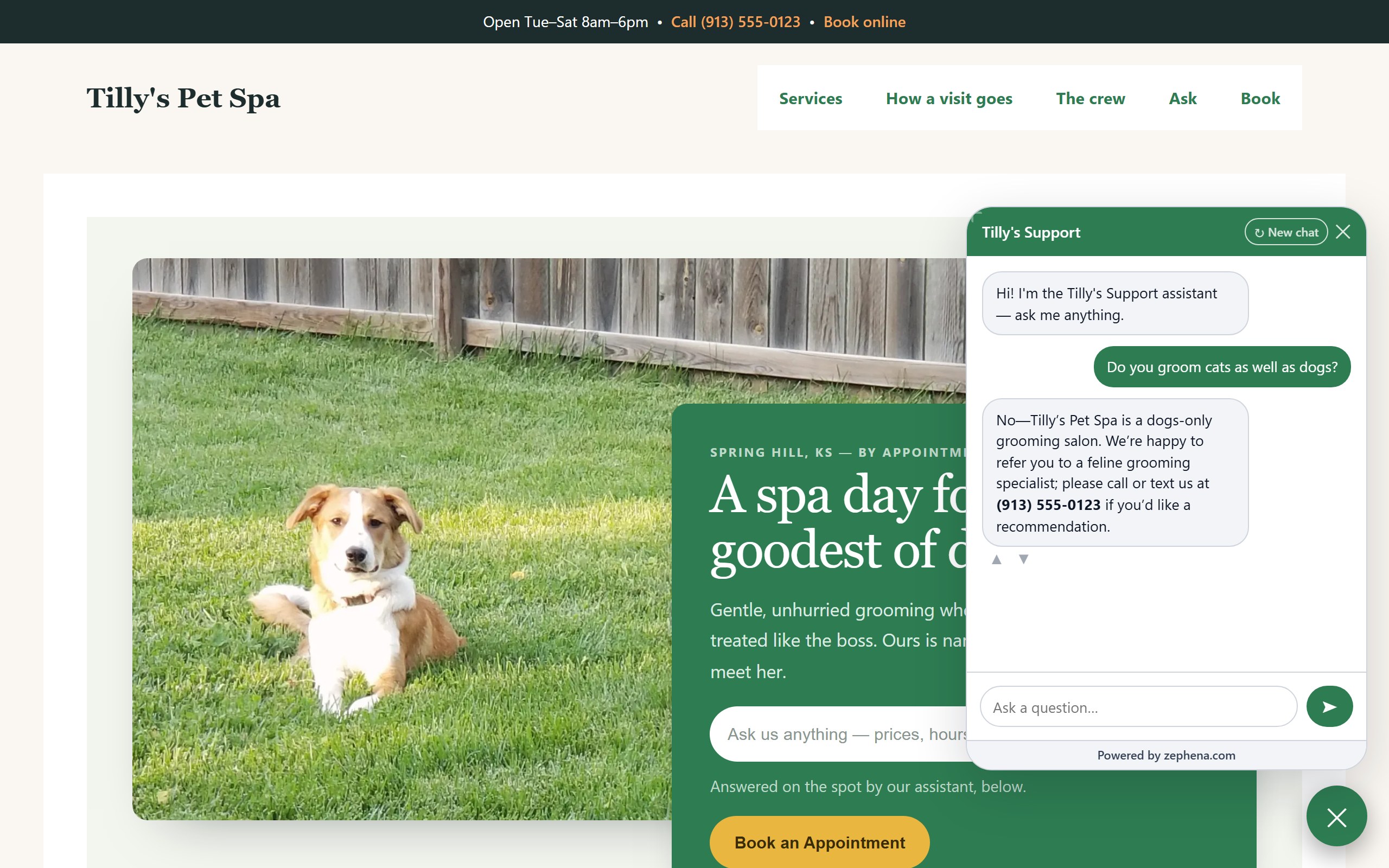
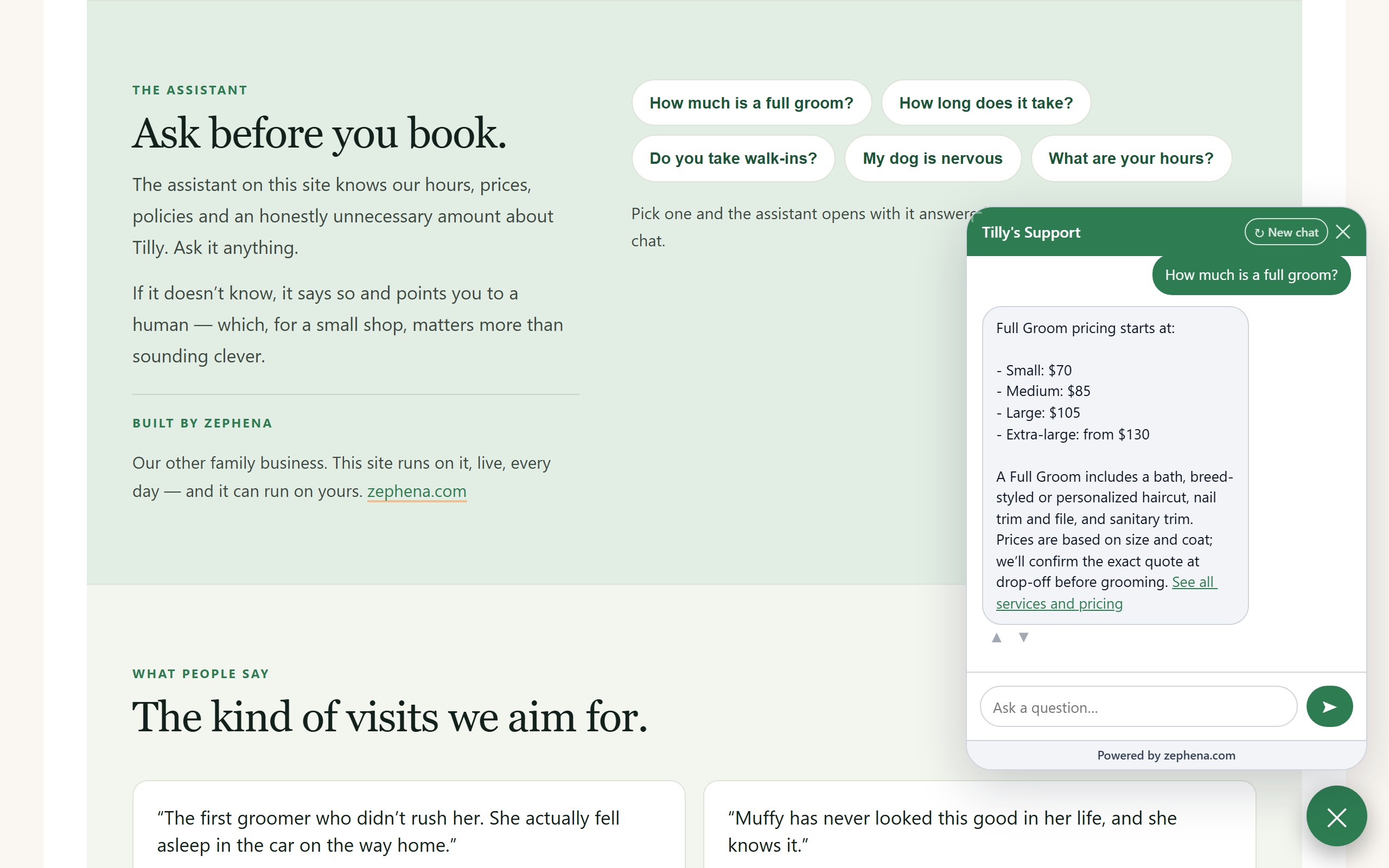
- Places your chat widget on your pages (with per-page exclusions) — and any button or link on your pages can open it with a question already asked, through the widget’s one-line page API.
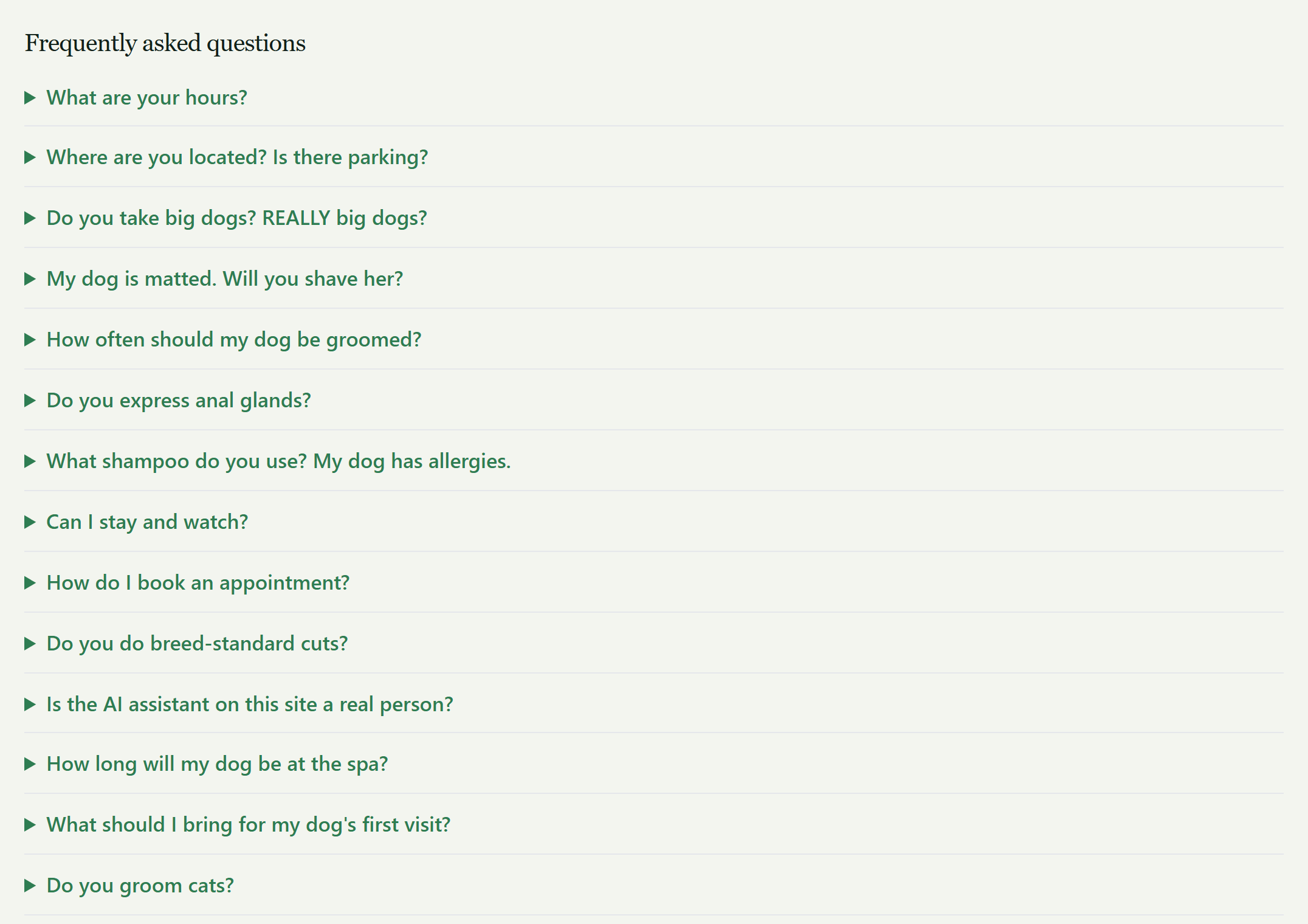
- Server-renders your findability content — the approved FAQ block, FAQPage/LocalBusiness structured data, and /llms.txt — into your pages’ raw HTML, so crawlers see it without executing JavaScript.
- Reports status — connection and plan — with links into your Zephena dashboard on zephena.com, where all management (agents, content approval, leads, billing) lives.
The plugin has no tiers and no plan logic: what your account can do is decided by the Zephena service. It plays nicely with cache plugins (LiteSpeed Cache, WP Rocket, W3 Total Cache are detected and purged automatically when your published content changes).
External services
This plugin relies on the Zephena hosted service. Once you connect, it contacts the Zephena gateway (gw.zephena.ai) to verify your embed key and fetch your approved, public FAQ content — about twice a day in the background, and again each time you open a Zephena page in your WordPress admin, so a key that was disconnected from your Zephena dashboard is noticed at once. The only data sent is your embed key, your findability key, and your site URL (as the HTTP user agent) — no visitor data, no admin data, and no site content is ever transmitted.
Before you connect — before you paste your embed key and click Connect — the plugin makes no external request at all and loads nothing from Zephena: no check-in, no script, no frame. You opt in by connecting.
The chat widget itself is loaded by your visitors’ browsers from Zephena’s CDN, on the pages where you chose to place it.
Your Zephena dashboard is never embedded in your WordPress admin: the Zephena page links to it on zephena.com, where you sign in as yourself, and nothing about your WordPress login is sent there.
Disconnecting stops every request. All of this is under Zephena’s terms and privacy policy:
- Terms: https://zephena.com/terms
- Privacy: https://zephena.com/privacy
Screenshots
Installation
- Install and activate the plugin.
- In your Zephena dashboard, open My agents your agent Embed on your website, and copy the embed key (pk_…).
- In WordPress, open the Zephena menu in the admin sidebar, paste the key, and click Connect.
- Choose where the FAQ block renders and enable llms.txt — done.
FAQ
-
Do I need a paid Zephena plan?
-
No. Zephena has a free plan: create an account, add your business, and your AI agent is answering visitors on your site at no cost. Paid plans add capacity, white-label (no „Powered by“ badge), and on Pro and above, Findability — publishing your approved FAQ, structured data and llms.txt into your pages. The plugin has no tiers of its own: whatever your account can do, it reflects.
-
Where do I manage my agent and content?
-
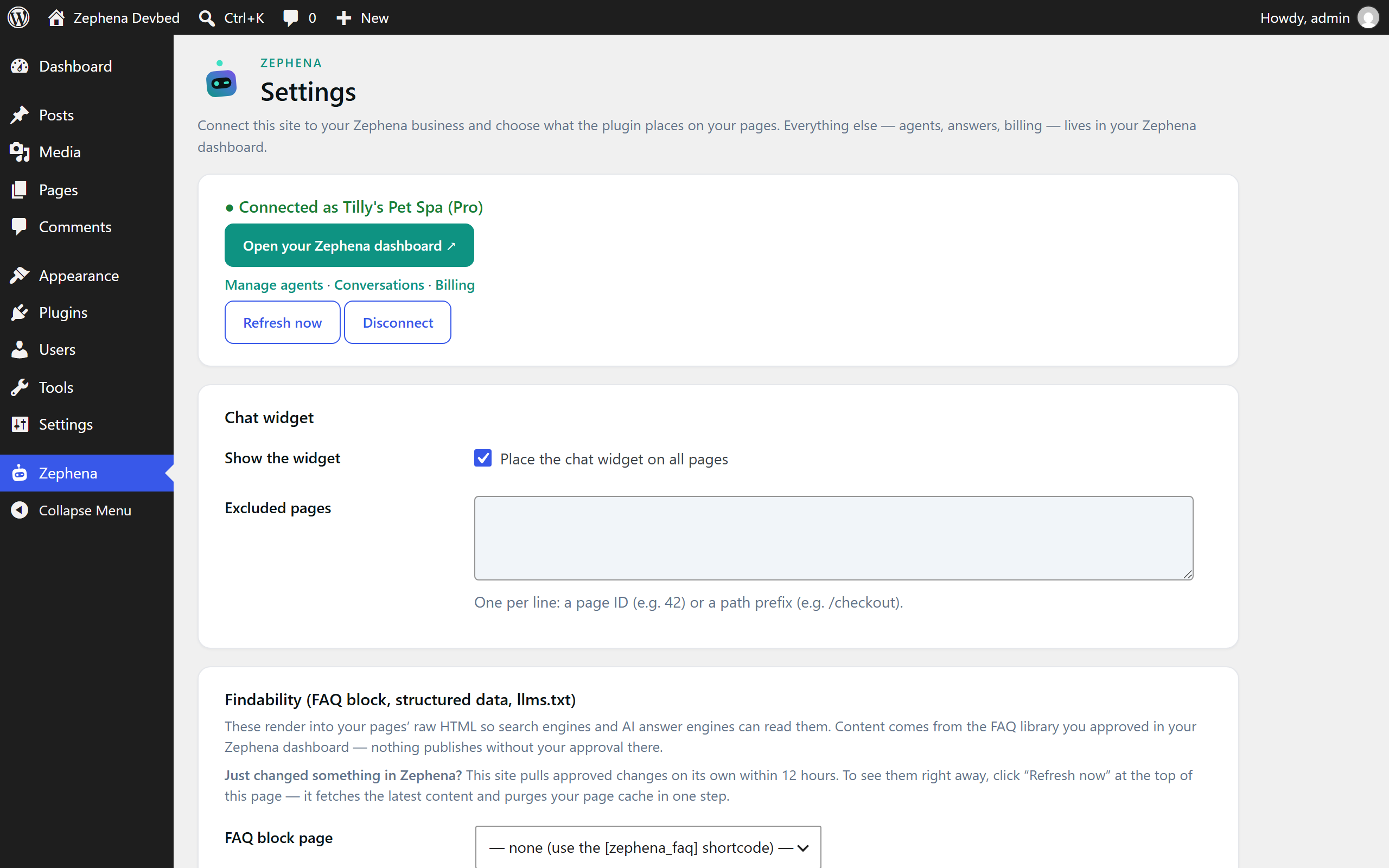
Everything about your site is on the plugin’s Settings screen in WordPress: where the chat widget shows and which pages it stays off, where the FAQ block renders, LocalBusiness structured data, llms.txt, and cache purging that fires the moment your published content changes. Your agents, FAQ approvals, leads, conversations and billing live in your Zephena dashboard, one click from the same screen.
-
Can I see my dashboard inside WordPress?
-
This build links to it: the Zephena page opens your dashboard on zephena.com in a new tab, signed in as yourself. The build downloaded from zephena.com opens the same dashboard within wp-admin.
-
What does the plugin put on my site?
-
Only what you choose. The chat widget, on the pages you allow. With Findability: your approved FAQ block, matching FAQPage and LocalBusiness structured data, and /llms.txt, written into your pages’ raw HTML so search engines and AI answer engines read them without running JavaScript. Nothing publishes without your approval in Zephena.
-
What data does the plugin send?
-
Your embed key, your findability key, and your site URL (as the HTTP user agent). No visitor data, no admin data, and no site content is ever transmitted. The chat widget itself is loaded by your visitors’ browsers from Zephena’s CDN.
-
Does it play nicely with my cache plugin?
-
Yes. LiteSpeed Cache, WP Rocket and W3 Total Cache are detected, and the plugin purges them whenever your published content changes, so a page cache never keeps serving stale FAQ markup. The Settings screen shows what it found and when it last purged.
-
Does the widget show a „Powered by“ badge?
-
Depending on your plan, the chat widget may display a small „Powered by Zephena“ badge. You consent to this explicitly when connecting the plugin; it is shown by default, and white-label plans can switch it off per agent in the Zephena dashboard.
-
How do updates work?
-
Like any plugin: WordPress shows „update available“ under Plugins and installs it in one click, straight from the WordPress plugin directory.
-
What happens if I deactivate it?
-
The widget and the findability output stop rendering immediately, and /llms.txt goes with them. Uninstalling removes every option and scheduled job the plugin created. Nothing is left behind in your database.
Reviews
There are no reviews for this plugin.
Contributors & Developers
“Zephena” is open source software. The following people have contributed to this plugin.
Contributors
Translate “Zephena” into your language.
Interested in development?
Browse the code, check out the SVN repository, or subscribe to the development log by RSS.
Changelog
1.2.0
- The Zephena page in your admin is now settings, status and links: your dashboard is never embedded in WordPress — it opens on zephena.com in a full tab, where you sign in as yourself.
- Before you connect, the plugin makes no external request at all and loads nothing from Zephena; the Settings screen has a direct „Open your Zephena dashboard“ link.
1.1.13
- Documentation only: the External services section now says the embed key is also verified each time you open a Zephena admin page (added in 1.1.11). No code change.
1.1.12
- The Settings screen no longer displays the embed key. The plugin verifies it on every visit, so there is nothing to compare by hand, and one fewer place shows it.
1.1.11
- Every Zephena admin page now re-checks the embed key on every visit (1.1.10 waited five minutes between checks). A key disconnected or re-keyed from the dashboard is treated as revoked the moment you open the plugin — the only pause is one minute after Zephena could not be reached, so an outage never turns every click into a wait.
1.1.10
- The plugin now notices a revoked embed key on its own: opening any Zephena admin page re-checks the key when the last check is older than five minutes, so a site disconnected or re-keyed from the dashboard shows the Reconnect screen within minutes instead of at the next twice-daily check-in. The Settings screen also shows the embed key the site holds, so it can be compared with the dashboard’s.
1.1.9
- When Zephena stops recognizing this site’s embed key (you disconnected or re-keyed it from the dashboard), the plugin now says so: the Zephena menu shrinks to Reconnect and Settings, the Settings screen explains what happened and offers the key field again, and the chat widget is no longer placed until a new key connects. Before, the screen kept saying „Connected“ with nowhere to enter the new key.
1.1.8
- Housekeeping for the WordPress plugin directory review: every file, class and function now carries standard documentation, the class files follow the WordPress naming convention, and the whole plugin passes the WordPress coding standards with no exceptions beyond one documented line. No behavior change.
1.1.7
- Every value the plugin reads from a request is sanitized at the point it is read, and every value it prints is escaped at the point it is printed — including the FAQ and business structured data, which is now validated as JSON before it reaches your page. No behavior change; this is the housekeeping the WordPress plugin directory review asked for.
1.1.6
- An update announces itself: after installing a new version the plugin checks in with Zephena within seconds, so your dashboard’s „On your site“ page shows the new version right away instead of after the next twice-daily check-in or a manual „Refresh now“. Works for one-click updates, uploaded zips, and directory updates alike.
1.1.5
- Published content now goes dark honestly: when Zephena stops serving this site’s FAQ bundle for any reason (a plan change, a retired key, or two days without a successful refresh), the FAQ block, JSON-LD and llms.txt stop rendering and your page cache is purged — nothing stale lingers for crawlers. Deactivating or uninstalling purges too.
- A public read-only route (/wp-json/zephena/v1/site) echoes this site’s embed key so Zephena can confirm the site before recording it as connected. The key is already in your page source; nothing else is disclosed.
- The weekly lead count is no longer sent to the settings card — see it in your Zephena dashboard, where you are signed in.
1.1.4
- Settings now explain why a change you just made in Zephena is not on your site yet — this site pulls approved changes within 12 hours, and „Refresh now“ fetches them immediately and purges your page cache in one step.
1.1.3
- The plugin now has its own page at https://zephena.com/wordpress-plugin, with what it does, what it deliberately does not do, and how to install it.
1.1.2
- Fixed: WordPress now offers „Enable auto-updates“ for Zephena on the Plugins screen. The plugin only told WordPress about itself when WordPress happened to rewrite its update list, so the control could be missing for hours after installing.
- Housekeeping for the WordPress plugin directory: every settings action verifies its nonce inline, the widget tag is printed through core’s script-tag printer, and file deletion goes through core’s helper.
1.1.0
- Updates now install in place through WordPress’s normal update screen, instead of by uploading a zip. Tested up to WordPress 7.1.
0.2.0
- Settings moved under the Zephena admin menu.
0.1.0
- Initial release: connect flow, widget placement with exclusions, FAQ block shortcode + auto-append with matching structured data, LocalBusiness head toggle, /llms.txt route, cache-plugin purge citizenship, status card with dashboard deep links.